
Part of the guide Android SMS Gateway App and APK: Unlimited SMS
On this page
- TL;DR
- What is an Android SMS gateway, exactly?
- How does an Android SMS gateway actually work?
- When should you use an Android SMS gateway, and when should you not?
- What hardware do I actually need to run this?
- What does the throughput math actually look like?
- Android SMS gateway vs Twilio vs Bird vs MTN bulk: real cost
- How do I send my first SMS through the API?
- How does the SMS8 MCP server work with Claude Code?
- How do I build an OTP flow with my own phone?
- What integrations come built in?
- What are the most common gotchas?
- How does this fit with A2P 10DLC, TCPA, and GDPR?
- What does the real production runbook look like?
- Is an Android SMS gateway worth it in 2026?
- Pricing and trial
- Why teams choose SMS8 as their Android SMS gateway
TL;DR
- An Android SMS gateway turns a phone plus a SIM into a programmable SMS server with a REST API. The SIM does the actual sending, so messages route as person-to-person rather than A2P.
- At steady volumes, a single Android phone is dramatically cheaper than Twilio and the other cloud APIs and skips A2P 10DLC registration entirely.
- SMS8 exposes a REST API, an MCP server for Claude Code and Cursor, an OTP API with constant-time compare, and native plugins for WordPress, Sheets, GoHighLevel, Make, Zapier, and n8n.
- The hard limits are carrier fair-use rules (roughly 500 to 2,000 SMS per day per SIM) and phone uptime. Multi-device routing fixes both.
- Plans start at $29 per month with a 3-day trial with 30 messages, no card required and no contract.
You probably did not arrive here because you wanted a history lesson on cellular networking. You arrived because the Twilio invoice surprised you, or because you tried to register for A2P 10DLC and got asked for documents you do not have, or because Claude Code told you to "just use an SMS API" and you wondered what that actually means in 2026. Good. This guide is the long version of the answer. If you want the product overview first, see the SMS8 Android SMS gateway page.
Below is a map of where Android-phone gateways win, where they lose, and where most people misjudge the trade-off. For the compliance side, read how to send bulk SMS from your own phone legally and A2P 10DLC explained. Read it once and you will save yourself months of Stack Overflow scrolling.
What is an Android SMS gateway, exactly?
An Android SMS gateway is a piece of software that runs on a regular Android phone and exposes the phone's built-in SMS hardware to other programs. Instead of going through a cloud provider that rents long codes from US carriers, you send messages through the SIM card already in your phone, on the same plan you already pay for. A second piece of software (a server, plugin, or MCP client) talks to the phone over HTTPS, and the phone does the actual sending using Android's SmsManager API.
That single architectural choice is what makes the rest of this guide possible. Because the message originates from a real SIM, the local carrier treats it as a person-to-person SMS instead of an application-to-person (A2P) campaign. There is no 10-digit long code (10DLC) registration in the US, no campaign approval workflow, and no per-message middleman fee taken by a CPaaS aggregator. Your bill is whatever your phone plan already costs, plus the SMS8 monthly fee for the orchestration layer.
Two things are worth highlighting before we go deeper. First: the gateway is not a hack. The Android SmsManager API is a documented Google interface that has existed since API level 4 (2009). Apps that send SMS are explicitly permitted by the platform when the user grants the SEND_SMS permission. Second: the message looks identical on the receiving end to one typed by hand. There is no "sent via API" footer, no shortcode, no "msg & data rates may apply" appended by anyone in the middle. It is just a text from your number.
How does an Android SMS gateway actually work?
The flow has four moving parts:
- The Android app on the phone (the SMS8 app or similar). It holds a long-lived auth token and talks to the SMS8 backend over a secure WebSocket plus REST for fallback.
- Your backend or no-code tool calls the gateway's REST API. For SMS8 this is
POST /api/v1/messageswith the API key in theX-Api-Keyheader andnumberandmessagein a JSON body. - The backend dispatches the job to the right device. If you have several phones paired, the router picks one by round-robin, by SIM country, or by an explicit
deviceshint. - The phone sends the SMS through Android's SmsManager, then reports delivery back to the SMS8 backend, which in turn either fires your webhook or makes the result available to your next poll.
Inbound messages flow the other direction. The phone catches them via a BroadcastReceiver registered for the SMS_RECEIVED intent, hands them to the SMS8 background service, which forwards them to your webhook URL. Everything else (templates, scheduling, contact lists, two-way replies, autoresponders) is built on top of that primitive.
The architecture diagram in your head should look like this: your code talks to app.sms8.io, which talks to the phone over a persistent WebSocket, which talks to the local cellular tower. Three hops, one of which is just a TCP connection that lives the whole time the phone is on.
When should you use an Android SMS gateway, and when should you not?
The boundary is fairly sharp. Teams that fit the profile below do well with a phone gateway; teams that do not usually needed something different, such as voice or short codes. There is no shame in either outcome. The trick is figuring out which side of the line you are on before you waste a Saturday wiring it up.
Use an Android gateway when:
- You send under ~50,000 SMS per month total.
- You are outside the US (Europe, Africa, MENA, LATAM, Asia) where A2P registries either do not exist or are easier to dodge.
- You want flat-fee monthly pricing instead of a per-message meter that gets reviewed every quarter.
- You need a local number that recipients recognise, not a foreign long code or a shortcode.
- You cannot complete A2P 10DLC because you do not have a registered US business with an EIN.
- You ship SMS as a feature of a SaaS but do not want to mark it up. Flat fee in, flat fee out.
- You want to send OTPs without paying $0.05 per Twilio Verify call.
Do NOT use an Android gateway when:
- You need to send millions of MT (mobile-terminated) messages per day, like a banking 2FA provider would.
- You need guaranteed delivery SLAs in writing, with carrier-level redundancy.
- You need short codes (5 to 6 digit numbers) for sweepstakes, contests, or banking 2FA at consumer scale.
- Your compliance team requires a SOC 2 Type II provider with a US legal entity for vendor onboarding.
- You send heavy SHAFT content (sex, hate, alcohol, firearms, tobacco) that carriers age-gate behind A2P registration anyway.
For everyone in between, a phone gateway is the boring, cheap answer. For more on the pricing math, see our 2026 Twilio alternative breakdown.
What hardware do I actually need to run this?
Almost any Android phone made since 2018 works. The constraints are simple:
| Spec | Minimum | Recommended | Why |
|---|---|---|---|
| Android version | 7.0 (Nougat) | 11 or higher | SmsManager API stability and battery exemption support |
| RAM | 2 GB | 4 GB+ | The SMS8 app idles around 80 MB; headroom prevents OOM kills |
| Storage | 8 GB free | 16 GB free | Message log + media cache for MMS |
| Battery health | 70%+ | 85%+ | Will be plugged in 24/7; degraded batteries swell |
| SIM | Any prepaid | Postpaid business line | Higher fair-use ceiling, fewer suspensions |
| Network | Wi-Fi only | Wi-Fi + LTE data backup | Dual-path keeps the websocket alive if Wi-Fi blips |
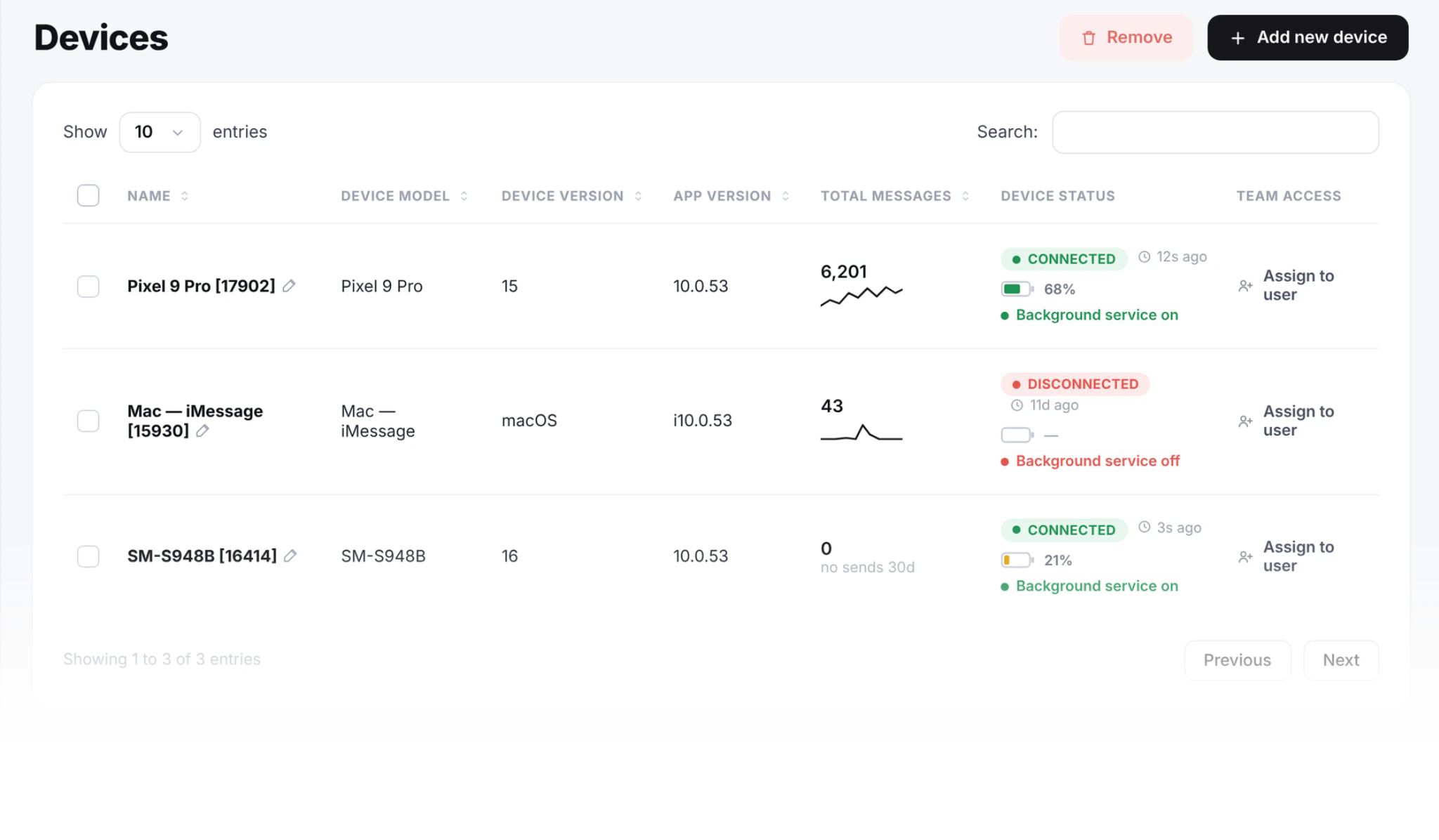
A refurbished mid-range phone on a charger, with a SIM on an unlimited texting plan, is a perfectly good production gateway. Keep it on Wi-Fi and power, exclude the SMS8 app from battery optimization, and the main interruption you will see is a reboot after an OS update. Boring works.
What does the throughput math actually look like?
People always ask this and there is a real answer. Android's SmsManager.sendTextMessage() takes roughly 200 to 800 milliseconds end to end depending on signal strength and carrier. Call it one second of wall-clock to be safe. That is 3,600 messages per hour per SIM in pure throughput, but you will never see that in practice because:
- Most carriers throttle at the cell-tower level beyond 5 to 10 SMS per minute per SIM.
- Your phone gets warm and the modem slows itself down (thermal throttling).
- The carrier's anti-spam system tags rapid identical sends as a flood and starts dropping them silently.
Realistic ceilings, after measuring across French, US, UK, Moroccan, and Egyptian carriers:
| SIM type | Sustained safe rate | Burst (5 min) | Daily ceiling |
|---|---|---|---|
| US prepaid (Mint, T-Mobile) | 1 SMS/sec | 3 SMS/sec | 500 to 800 |
| US postpaid business | 2 SMS/sec | 5 SMS/sec | 2,000 to 3,000 |
| EU postpaid (Free, O2, Orange) | 1 to 2 SMS/sec | 4 SMS/sec | 1,000 to 1,500 |
| MENA prepaid (Maroc Telecom, Etisalat) | 1 SMS/sec | 3 SMS/sec | 800 to 2,000 |
| India postpaid (Jio, Airtel) | 1 SMS/sec | 5 SMS/sec | varies, DLT-bound |
SMS8 campaigns pace each SIM at one message every 10 to 30 seconds, which keeps every line inside these ceilings. For 10,000 SMS per day you want 5 phones. For 50,000 per day you want 25 to 40 phones across multiple SIM providers. SMS8's multi-device router balances jobs across paired devices automatically, so this scales linearly without code changes on your side.
Android SMS gateway vs Twilio vs Bird vs MTN bulk: real cost
I priced out a typical 10,000-SMS-per-month load at June 2026 rates, as listed on each provider's site. No negotiated discounts. The Bird and Plivo rates are as listed on their website in November 2026.
| Provider | Monthly base | Per-SMS (US) | 10k SMS/mo cost | A2P 10DLC? |
|---|---|---|---|---|
| SMS8 (Android gateway) | $29 | $0 (your SIM) | $29 | No |
| Twilio | $0 | $0.0083 + carrier fees | ~$135 + 10DLC fees | Yes (~$15/mo brand + campaign) |
| Bird | $0 | $0.0035 + carrier fees | ~$35 + carrier fees | Yes |
| Plivo | $0 | $0.0077 + carrier fees | ~$77 + carrier fees | Yes |
| Vonage | $0 | $0.0094 | ~$94 | Yes |
| MTN Bulk SMS (Africa) | $0 | $0.012 to $0.04 | ~$120 to $400 | N/A regional |
| Sinch | Quote-only | ~$0.0075 | ~$75 + min commit | Yes |
The gap widens as volume grows. At 100,000 SMS per month, Twilio crosses $830 while a multi-device SMS8 plan (Five Devices, $89 a month) stays at $89. Every extra text on SMS8 costs nothing from us, so the more you send, the more you save.
How do I send my first SMS through the API?
Sign up at app.sms8.io, install the Android app on any phone running Android 7 or newer, scan the pairing QR code, and grab your API key from the dashboard. Then:
curl
curl -X POST https://app.sms8.io/api/v1/messages \
  -H "X-Api-Key: YOUR_KEY" \
  -H "Content-Type: application/json" \
  -d '{"number":"+15551234567","message":"Hello from my SIM"}'
PHP
$ch = curl_init('https://app.sms8.io/api/v1/messages');
curl_setopt($ch, CURLOPT_POST, true);
curl_setopt($ch, CURLOPT_HTTPHEADER, [
    'X-Api-Key: ' . getenv('SMS8_KEY'),
    'Content-Type: application/json',
]);
curl_setopt($ch, CURLOPT_POSTFIELDS, json_encode([
    'number'  => '+15551234567',
    'message' => 'Hello from my SIM',
]));
curl_setopt($ch, CURLOPT_RETURNTRANSFER, true);
$response = json_decode(curl_exec($ch), true);
Node
import fetch from 'node-fetch';
const res = await fetch('https://app.sms8.io/api/v1/messages', {
  method: 'POST',
  headers: {
    'X-Api-Key': process.env.SMS8_KEY,
    'Content-Type': 'application/json',
  },
  body: JSON.stringify({
    number: '+15551234567',
    message: 'Hello from my SIM',
  }),
});
const json = await res.json();
Python
import os, requests
r = requests.post(
    'https://app.sms8.io/api/v1/messages',
    headers={'X-Api-Key': os.environ['SMS8_KEY']},
    json={
        'number':  '+15551234567',
        'message': 'Hello from my SIM',
    },
    timeout=10,
)
print(r.json())
Response is JSON. {"success":true,"id":128476,"deviceId":1234,"simSlot":0,"queuedAt":"..."}. The phone picks the job up within a second and sends. Full endpoint reference lives in our API documentation.
How does the SMS8 MCP server work with Claude Code?
This is the part that did not exist two years ago. The Model Context Protocol (MCP) is an open spec from Anthropic that lets AI assistants call external tools through a stdio or HTTP transport. The spec itself lives at modelcontextprotocol.io. SMS8 ships an MCP server at https://mcp.sms8.io. Its core tools:
| Tool | What it does |
|---|---|
setup_sms8 | Stores the user's API key in the MCP session. |
send_sms | Send a plain SMS to one number. |
send_otp | Generates a 6-digit code, sends it, stores its hash server-side. |
verify_otp | Constant-time compare against the stored hash with expiry and attempt count. |
get_messages | Pull inbox or sent log. |
list_devices | Show which phones are paired and online. |
create_webhook | Register a callback URL for inbound SMS. |
It also has send_sms_list, wait_for_otp, get_balance and usage. Drop this into your Claude Code config and the assistant can text you directly. Full walkthrough in our Claude Code MCP tutorial.
How do I build an OTP flow with my own phone?
OTP codes are one of the most common jobs for a phone gateway. The dedicated endpoints are POST /ajax/otp-send.php and POST /ajax/otp-verify.php (the MCP tools send_otp and verify_otp are the other route). The server generates a cryptographically random 6-digit code with a 5-minute default expiry, and the verify call uses constant-time comparison (hash_equals) to defeat timing attacks. There is a per-phone abuse cap of 5 sends in 24 hours and a resend cooldown of 60 seconds by default.
Here is the smallest sane verify endpoint, in two languages:
// PHP
$ok = false;
$stored = $db->query('SELECT hash, expires_at, attempts FROM otps WHERE phone = ? AND consumed = 0', $phone)->fetch();
if ($stored && $stored['expires_at'] > time() && $stored['attempts'] < 5) {
    $candidate = hash('sha256', $submitted . $pepper);
    if (hash_equals($stored['hash'], $candidate)) {
        $db->query('UPDATE otps SET consumed = 1 WHERE phone = ?', $phone);
        $ok = true;
    } else {
        $db->query('UPDATE otps SET attempts = attempts + 1 WHERE phone = ?', $phone);
    }
}
// Node
const stored = await db.one(
'SELECT hash, expires_at, attempts FROM otps WHERE phone = $1 AND consumed = false',
[phone],
);
let ok = false;
if (stored && stored.expires_at > Date.now() && stored.attempts < 5) {
const candidate = crypto.createHash('sha256').update(submitted + pepper).digest('hex');
if (crypto.timingSafeEqual(Buffer.from(stored.hash, 'hex'), Buffer.from(candidate, 'hex'))) {
await db.none('UPDATE otps SET consumed = true WHERE phone = $1', [phone]);
ok = true;
} else {
await db.none('UPDATE otps SET attempts = attempts + 1 WHERE phone = $1', [phone]);
}
}I wrote a dedicated guide here. Build a real SMS OTP flow with your own Android phone.
What integrations come built in?
- WordPress. A plugin on WordPress.org that texts customers on each WooCommerce order status and alerts you to new orders. Detailed in the WordPress SMS plugin comparison.
- Google Sheets. An Apps Script add-on that sends SMS from a row, useful for bulk mailers and ad-hoc campaigns.
- GoHighLevel. A custom SMS provider you drop into any sub-account to replace Twilio.
- Make, Zapier, n8n. First-party connectors with triggers (incoming SMS) and actions (send SMS, send OTP, verify OTP).
- Webhooks. POST inbound SMS to any URL with an HMAC-SHA256 signature, covered in the webhook architecture post.
- Shopify. Via the Make connector or directly through the REST API in your theme app proxy.
Full list on the integrations page.
What are the most common gotchas?
I keep a running list because the same six issues come up again and again in new-user support tickets. If you read this once you can probably skip the support queue entirely.
| Symptom | Likely cause | Fix |
|---|---|---|
| Phone says "online" but messages stay queued | Android battery optimisation killed the background service. | Settings > Apps > SMS8 > Battery > Unrestricted. On Xiaomi/MIUI also disable "Autostart" lock. |
| Carrier blocks after about 300 messages | Prepaid SIM hit fair-use threshold. | Switch to postpaid, spread across SIMs, or slow your send rate (SMS8 campaigns pace at 10 to 30 seconds per message per SIM). |
| OTP verify always returns invalid | Whitespace or unicode digits in the user input. | Trim and normalise input before sending it to otp-verify.php. Arabic keyboards emit U+0660 to U+0669 instead of ASCII 0-9. |
| Webhook never fires | Your endpoint returned non-2xx or timed out past 10 seconds. | Check the webhook deliveries log in the dashboard; SMS8 retries on a schedule that grows from a few minutes up to 30 days. |
| MMS sent but recipient gets a link instead | Carrier downgraded MMS to "view media" link due to size or roaming. | Keep media under 600 KB and avoid sending MMS across borders. |
| Long messages get split weirdly | Mixing GSM-7 and UCS-2 characters changes segment count. | Stick to GSM-7 (no curly quotes, no emoji) for 160-char segments, or accept the 70-char UCS-2 limit. |
How does this fit with A2P 10DLC, TCPA, and GDPR?
Quick summary, with the longer version in the dedicated posts.
- A2P 10DLC is a US carrier-mandated registry for cloud-sent SMS. It does not apply to P2P traffic from a real SIM. See A2P 10DLC explained and how to avoid it legally.
- TCPA is the US federal anti-robocall law. It applies regardless of technology. You need documented consent. See send bulk SMS from your own phone legally.
- GDPR applies in the EU and UK. Consent must be specific, freely given, and revocable. Same advice as TCPA: keep an audit trail.
- CTIA Messaging Principles govern what content carriers will let through. SHAFT content (sex, hate, alcohol, firearms, tobacco) is gated; details at ctia.org.
What does the real production runbook look like?
I have written this checklist as a literal printed page that lives next to every gateway phone we run for our own product. Steal it.
- Phone plugged in 24/7 on a quality charger (not the cable that came with a 2018 Samsung).
- Battery optimisation off for the gateway app and the Google Phone app.
- "Adaptive battery" off if it exists. "Adaptive brightness" stays on so the screen does not burn in.
- Wi-Fi connected, with a backup cellular data plan enabled. Auto-switch on poor signal.
- Auto-update for the OS scheduled at 3am; auto-update for apps daily.
- Screen lock disabled while charging. We use Smart Lock with the Wi-Fi as a trusted place.
- Second device paired and tested with a synthetic SMS once a week.
- Webhook health monitor pinging both the SMS8 API and your inbox URL every 60 seconds.
- Monthly battery health check (Settings > Battery > Battery Health). Swap above 80 percent degradation.
- Documented runbook for the on-call engineer, including how to reboot the phone remotely (we use a Wi-Fi smart plug).
Is an Android SMS gateway worth it in 2026?
For most small and mid-sized teams, yes; for some, no. If you are a US Fortune 500 that needs to text 12 million customers about a product recall, sign with Twilio or Sinch. If you run a clinic in Lyon that sends 200 appointment reminders a day, or a Shopify store in Casablanca that texts shipping updates, an Android phone in a drawer plus a $29 per month plan is, frankly, embarrassingly good value.
The decision rarely comes down to features anymore. Both worlds can send a text. It comes down to who you want to pay, who you want to register your business with, and whether you want a flat monthly bill or a per-message meter that ramps with your growth. We bet on the flat bill. If the math fits your business too, the trial is below.
Pricing and trial
SMS8 plans start at $29 per month and include a 3-day trial with 30 messages, no card required. We do not bill at the end of the trial unless you upgrade. There is no money-back refund because there is no charge to refund. See the full pricing page.
Why teams choose SMS8 as their Android SMS gateway
SMS8 turns a phone you already own into a full SMS gateway, with everything a cloud API offers and none of the meter.
- Your own number. Texts leave from the SIM in your own Android phone, so customers see a number they know and can reply to.
- A flat price with unlimited messages. USD 29 a month for one phone or Mac, USD 89 for five and USD 229 for twenty, with unlimited SMS and MMS and no per-message fee. Yearly billing is half the price.
- No A2P 10DLC filing. Texts go person-to-person from your SIM, so there is no brand, campaign or monthly campaign fee to manage.
- SMS, MMS and iMessage in one inbox. Pair Android phones for SMS and MMS and a Mac for iMessage with SMS fallback, then answer everything from one shared inbox.
- API, MCP and integrations. A REST API with signed webhooks, an MCP server at mcp.sms8.io, and official apps for GoHighLevel, Zapier, Make, WordPress and Google Sheets.
- Setup in minutes. Install the app, pair the phone and copy your API key. The 3-day trial includes 30 messages and needs no card.
Start the 3-day trial with 30 messages and no card, or compare plans on the SMS8 pricing page.