
One shared SMS inbox for your whole team.
Your team replies to customer texts from a browser, across every phone and SIM you paired. Each reply leaves the business number the customer already knows. You decide who sees which line and what they can send.
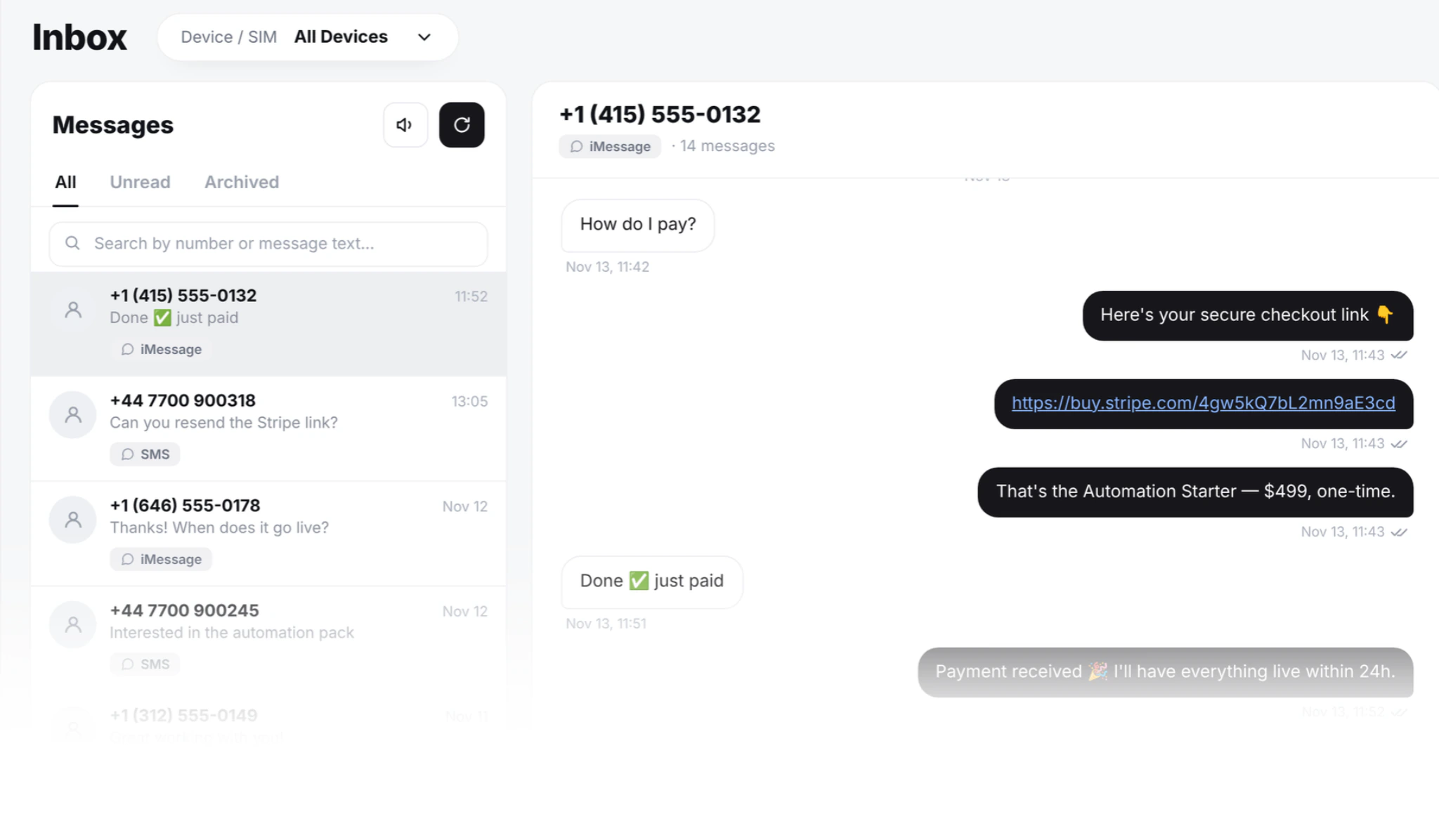
Every conversation in one place
Pair one Android phone or ten. Add a Mac for iMessage. Every message they send and receive shows up in one feed, threaded by contact.
The phones stay plugged in on a shelf. Nobody has to unlock a handset to answer a customer.
- iMessage threads from your Mac, next to SMS
- Replies leave the SIM the message came in on
- Full history kept in your account, not on the handset
- Search across every phone and SIM
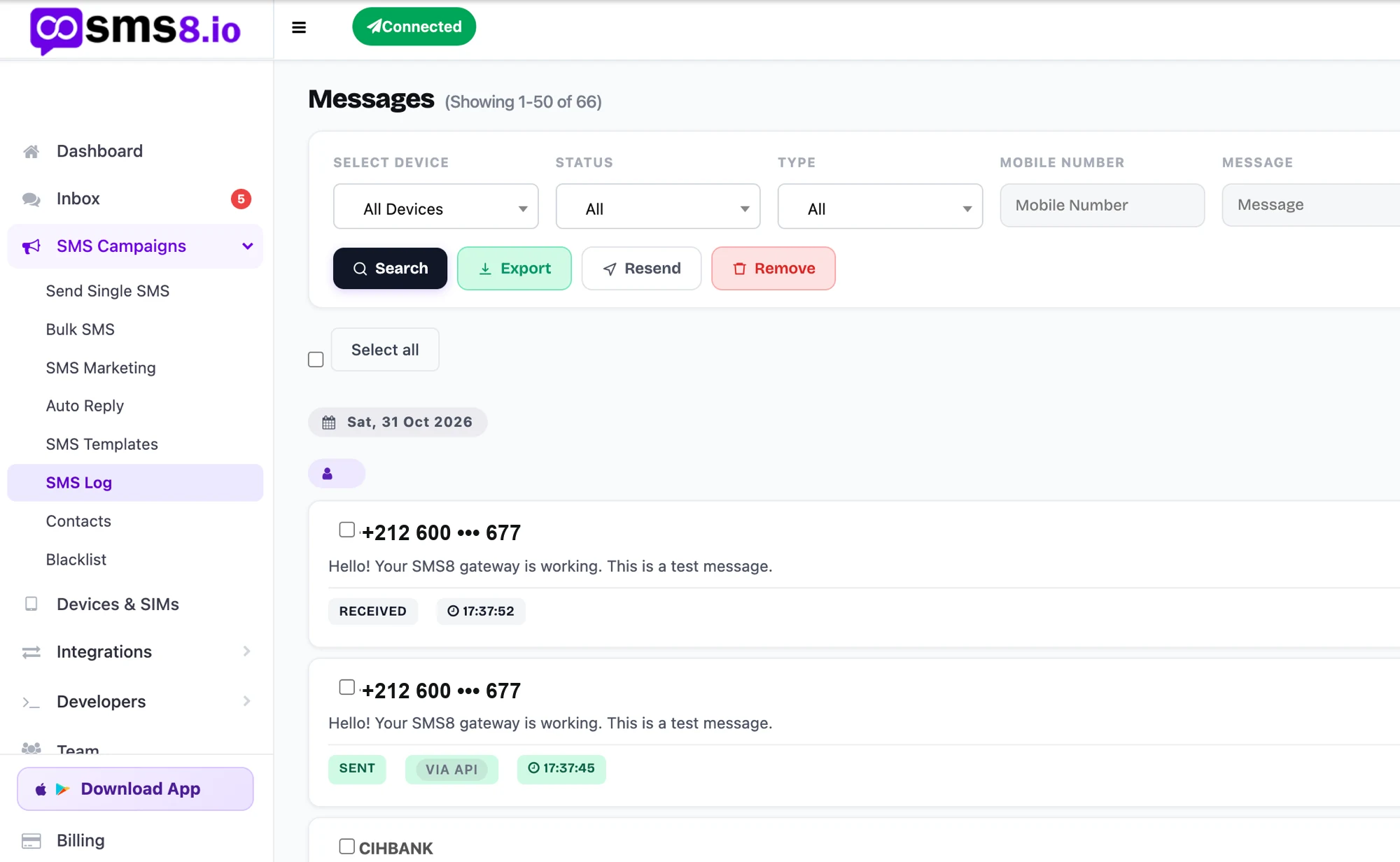
The person who owns the phone should not answer every text
In most small businesses one person holds the business phone. Every reply waits for them. Passing that phone around the office exposes their personal apps, and you cannot tell who typed what.
With SMS8 each teammate gets their own login. The SIM stays in the phone, the phone stays in the drawer, and the customer never notices who answered.
Add a teammate in about three minutes
No onboarding call. If you have a paired phone, you are ready.
Open the Team page
Sign in at app.sms8.io and click Team. Your workspace is created the first time you invite someone.
Invite by email
Type their email, tick the phones and SIMs they can use, and choose what they are allowed to send.
They accept
They get a one-click link that stays valid for seven days. No account yet? They make one on the same page.
They reply
They land in your inbox and answer from a browser, through your SIM.
You decide who sends what
Six controls cover what most owners need.
Per phone and per SIM
Give reception the shop line and keep the finance SIM out of sight. New phones stay hidden until you tick them.
Block links
Stop a teammate from sending URLs.
Block phone numbers
Keep account and phone numbers out of outgoing messages.
Who sent it
Every outgoing message is stamped with the person who typed it. Filter by teammate, phone, SIM or date.
Read only
Let trainees and auditors read without sending.
Revoke in one click
Access ends on their next request. No SIM swap needed.
Two-way SMS from a browser tab
The inbox is a normal web page at app.sms8.io. It runs in Chrome, Edge, Safari, Firefox and other modern browsers, on a desktop, a laptop, a Chromebook or the browser of a phone. There is nothing to install on the computer.
The only app you install is the SMS8 app on the Android phone that holds the SIM. Pair it once, plug it in, and leave it on a shelf or in a drawer.
From then on you read and answer texts with a full keyboard, next to your email and your CRM. Copy an order number from one tab, paste it into the reply, send. A thread you read on the laptop shows as read on your phone browser too.
Replying on the handset vs replying in SMS8
Same SIM, same number on the customer's side. What changes is how you work.
| Phone only | SMS8 inbox | |
|---|---|---|
| Where you type | A small screen and your thumbs | Any browser, with a real keyboard |
| Number the customer sees | Your business mobile | Your business mobile, on every reply |
| Two or more business SIMs | Grab the right phone and hope | Each reply goes back through the SIM it came in on |
| Message history | On the handset, gone if it breaks | Kept in your SMS8 account, threaded by contact |
| Search | One phone at a time | Every phone and SIM at once, by number, name or word |
| Where the phone lives | In your pocket | Plugged in at the office, left for days |
| More than one person answering | Pass the phone around | Each teammate signs in with their own login |
Several phones and SIMs, one feed
Run one number per shop, region or brand without carrying a bag of phones.
Replies follow the line
Each thread remembers the SIM it arrived on. When anyone replies, SMS8 sends it back through that SIM, so nobody has to pick a phone.
Dual-SIM and eSIM
One handset can hold two business lines. Both show up in the same feed and stay separate in each thread.
Campaigns spread the load
For one-to-many sends, SMS8 can rotate across your SIMs and paces each one at 10 to 30 seconds per message. Replies to a campaign land in the inbox like any other text.
A phone goes offline
Outgoing replies wait in your account and leave as soon as the phone reconnects. Texts that arrived meanwhile reach the inbox when the app is back online.
You swap a phone
History stays in your account. Pair the new handset with the same SIM and the threads carry on where they stopped.
How teams split the work
Different businesses, the same problem solved.
Three shops, one owner
Each shop has its own phone and local number. Each manager sees only their shop. The owner sees all three.
One assistant, several clients
One login can belong to many workspaces. A virtual assistant switches between clients from a menu, with no shared passwords.
Leads line and finance line
An agency pairs two phones. The coordinator sees leads only. Senior agents see both.
Reception desk
Several receptionists confirm appointments, each with their own login. Links and numbers are blocked, and the manager can see who confirmed what.
Two-person business
The owner pairs the business SIM. Whoever is free answers, from the number customers have saved for years.
What teams answer by text
The conversations we see most, each running on one or two phones left at the office.
Support by SMS
Customers text the number on your contact page instead of opening a ticket. Whoever is free picks up the thread, and tags like billing or shipping keep the queue in order.
Sales follow-ups
Reps nudge warm leads from the business SIM and write proper answers from a desk, with the CRM open in the next tab. The manager can read every thread.
Dispatch and confirmations
Cleaners, plumbers, salons and couriers confirm jobs and reschedules from the office computer. Overnight replies are waiting in order the next morning.
Property viewings
An agency prints one mobile number on every listing. Viewing requests from buyers thread in one place, and agents answer between visits without hunting for the phone.
School front office
Admin staff text parents about early pickups and closures, then answer questions like which gate to use from the same keyboard they use for email.
Seats come with the plan
Most shared-inbox tools bill each user every month, on top of the carrier.
| Per-seat inbox tools | SMS8 team seats | |
|---|---|---|
| Seat pricing | Per user, per month | Included in your SMS8 plan |
| Number customers see | A shared short code or a rented number | The SIM in your own phone |
| A2P registration | Usually required | Not needed, you own the SIM |
| Limit a person to one line | Rare | Per teammate, per phone and per SIM |
| Who sent each message | Often a higher tier | On every send by default |
| One login, several businesses | Separate accounts | One login joins many workspaces |
Seats per plan: One Device includes 1, Five Devices 10 and Twenty Devices 40.
One web inbox that several people sign into with their own login. They reply to the texts that came into your paired phones and SIMs, and the customer only ever sees your business number.
No. Seats come with the owner's plan, and messages a teammate sends count against the owner's account.
Yes. Pair several Android phones, dual-SIM phones or a Mac for iMessage. All conversations show in one feed, and each reply goes back through the line the message arrived on.
Yes. One login can be a member of many workspaces and still keep its own private inbox.
They lose access on their next request. Their own SMS8 login keeps working, but your conversations, contacts and phones disappear from their view.
No. The inbox opens in any modern browser. You only install the SMS8 app on the Android phone that holds the SIM.
Not unless you allow it. New members can read and reply, and bulk sending stays off for them until you switch it on for that person.
Yes. Open their permissions, untick that phone or SIM and save. The change applies right away.
Yes. Many owners put the business SIM in a spare Android phone that stays at the office, and keep their personal SIM in the phone in their pocket.
Replies you send wait in your account and go out once the phone is back. Plug it in and keep it on wifi to avoid gaps.
Guides and comparisons
Go deeper on this topic.
Team Texting for Clinics and Dispatch Teams
How clinics, field service and dispatch teams share one SMS inbox: one business number, thread assignment, internal notes, access per SIM, privacy basics.
CompareFront vs SMS8: Shared Team SMS Inbox on Your Own SIM
Front vs SMS8 for team SMS: a shared SMS inbox on your own SIM and number, with no Twilio in the middle and no per-message fee. See how SMS8 compares.
CompareOpenPhone vs SMS8: Team SMS Inbox on Your Own SIM
OpenPhone vs SMS8 for team SMS: a shared inbox on your own SIM and number, priced per plan, in any country your SIM works. See how SMS8 compares.
CompareHeymarket vs SMS8: Team SMS Without Per-User Fees
Heymarket vs SMS8 compared: a shared team SMS inbox on your own SIM and number, priced per plan, not per user, wherever your SIM works. How SMS8 compares.
Nov 2026Staff Texting From Personal Phones? A Better Way
Staff texting customers from personal phones means no record, no control, lost contacts when they leave. Move it to an SMS8 shared inbox on business SIMs.
Give your team the number, not your phone
Pair a phone, invite your first teammate, and answer customers from a browser today.