
SMS8 vs Heymarket A team inbox on your own number.
Looking for a Heymarket alternative? Heymarket is a team SMS inbox priced per user, on a rented number. SMS8 gives your team a shared inbox on your own SIM, priced per plan. The gap widens as your team grows, so here is what each one costs and does once more people join.
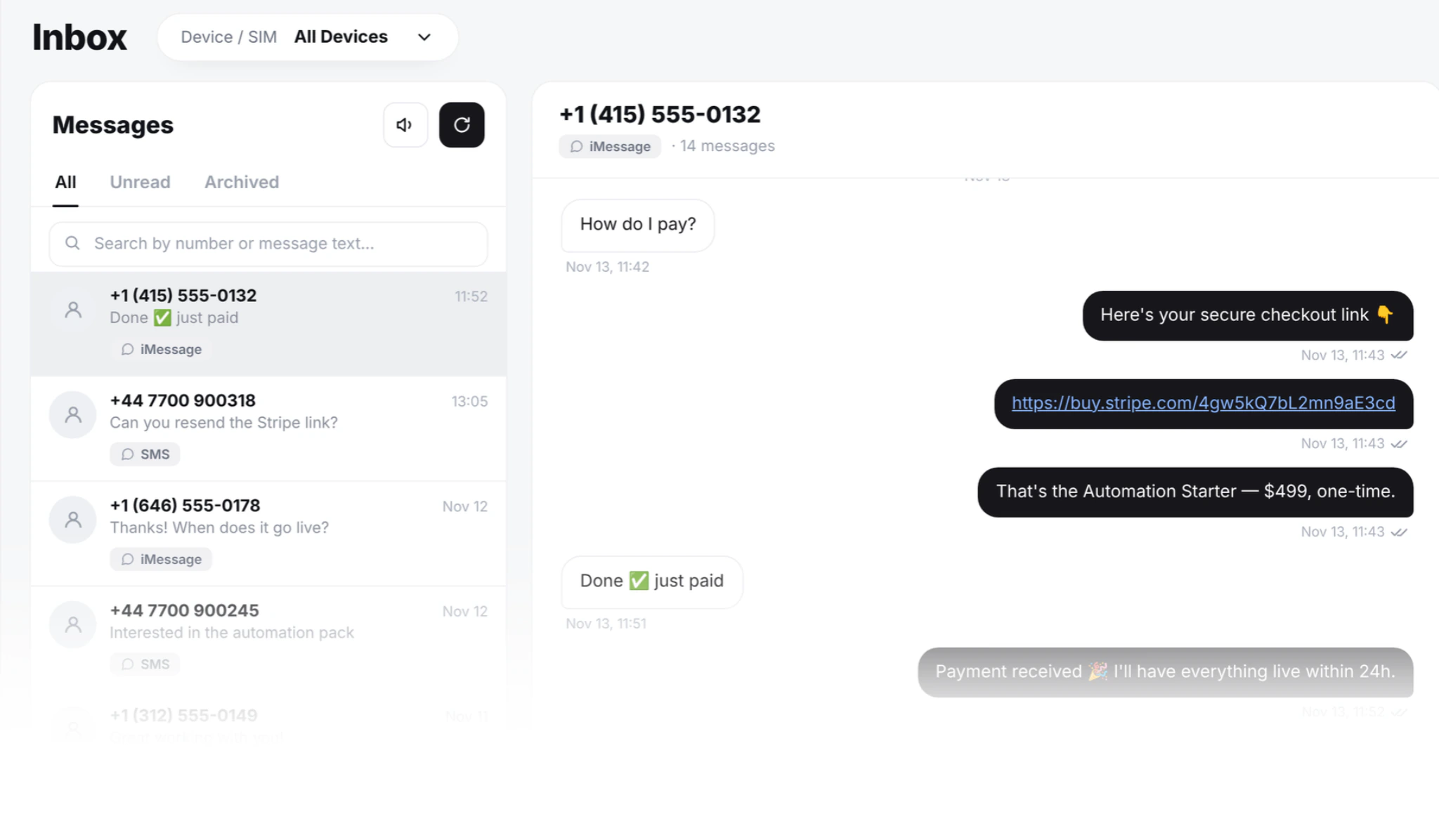
Heymarket and SMS8, inbox to inbox
The team inbox, and everything around it.
| Heymarket | SMS8 | |
|---|---|---|
| How you pay | Per user, per month | Per plan, seats included |
| Seat price | $49 to $199 per user a month, as listed on their website in November 2026 | No seat fee |
| Seats | Bought one at a time | 1, 10 or 40, by plan |
| Trial | 14-day trial | 3-day trial with 30 messages, no card needed |
| Sender people see | Rented long code or toll-free number | Your own phone number |
| iMessage from your own number | Not listed on their site | Yes, from a Mac you own, with SMS fallback |
| A2P 10DLC | Brand and campaign filing required | Not needed |
| Countries | US and Canada mainly | Wherever your SIM works |
| Shared inbox with assignment | ||
| MMS | ||
| Keyword opt-in and STOP | ||
| Contact groups and CSV import | ||
| Scheduled and drip campaigns | ||
| Webhooks for replies and delivery | ||
| REST API | Business tier only | Every plan |
| OTP API | – | |
| WordPress plugin | – | |
| GoHighLevel | Via Zapier | Marketplace app |
| Google Sheets | – | Sheets add-on |
| Automation tools | Zapier | Zapier, Make and n8n |
| Contract | Annual contracts for volume discounts | Month to month |
Prices and features of other companies can change.
Price per user vs price per plan
Heymarket charges per user. As listed on their website in November 2026, seats run from $49 to $199 per user each month, on top of a usage tier. The bill grows each time someone joins the team.
SMS8 puts the seats inside the plan. Adding a teammate does not add a line to the bill, and texts carry no fee because they leave your own SIM. When the team outgrows its seats, you move up a plan.
Texts are covered by your mobile plan. How much one phone sends depends on your SIM and carrier, and you can add phones.
An example: a team that grows from 5 to 8 people adds three Heymarket seats, which is $297 more a month at $99 each, as listed on their website in November 2026. On SMS8 the same team stays on Five Devices, which has room for 10.
Heymarket also adds a usage tier on top of the seats. On SMS8 there is no usage tier, so a month with twice the replies costs the same as a quiet one. Seasonal staff can join for the busy weeks without a new seat fee, as long as the plan has room.
Three team sizes, priced out
Examples using the Heymarket Plus tier at $99 per user a month, as listed on their website in November 2026, against the SMS8 plan whose seats fit the team. Seats only, before any texts are sent, since that is where the two models differ most.
| Team of 5 | Team of 8 | Team of 12 | |
|---|---|---|---|
| Heymarket seats | $495 | $792 | $1,188 |
| Heymarket usage tier | Extra | Extra | Extra |
| SMS8 plan | USD 89, Five Devices | USD 89, Five Devices | USD 229, Twenty Devices |
| SMS8 seats included | 10 | 10 | 40 |
These are examples, not quotes. Heymarket also sells lower tiers from $49 per user, which narrows the gap for small teams. Twenty Devices also has room for 20 paired phones, for teams that text from several numbers. SMS8 prices halve when billed yearly, and your mobile plan still covers the texts.
When a per-seat bill stops making sense
Where teams tell us the switch made sense.
Your team keeps growing
Add people to the shared inbox without a new monthly fee for each one. Roles decide who can send and who can only reply.
Customers know your number
A clinic, a store or an agent texts from the number people already saved. Replies land in the same shared inbox.
You serve customers abroad
A UK store texts from its UK SIM, so shoppers see a local number, not a foreign one.
You run an agency
Pair one phone per client brand and manage them all from one account.
Six teams that switched from Heymarket
What each one needed, and how it works on SMS8. Most of them kept the same inbox habits and changed only the number behind them and the bill.
A 12-person customer success team
On the Heymarket Plus tier, 12 seats come to more than $1,100 a month before usage, as listed on their website in November 2026. On SMS8 the same 12 people share one inbox on the Twenty Devices plan at USD 229. They claim threads, leave internal notes and resolve them, the same daily routine as before. Nobody has to share a login to keep the bill down.
A clinic sending appointment reminders
Patients tend to ignore texts from numbers they do not know. The clinic pairs the practice phone, so reminders arrive from the number reception already calls from. There is no rented sender and no 10DLC filing. When a patient replies to move the appointment, any receptionist can answer from the shared inbox.
A real estate brokerage running open houses
Buyers text OPENHOUSE to the listing agent's mobile. They get an instant reply with the address and a booking link, and land in a tagged list for follow-up. It matches the Heymarket keyword groups, sent from the agent's real number. Each agent can pair their own phone inside the same account, and the broker sees every lead.
A UK retailer texting British shoppers
A text from a US or Canadian long code can look like a foreign sales call to a UK shopper. The retailer keeps its existing UK mobile SIM, shoppers see a normal +44 number, and replies come back to the inbox the team already uses.
An agency texting for many client brands
On Heymarket each client team needs its own paid seats, and the cost adds up with every new client. On SMS8 the agency pairs one phone per brand, gives each client team its seats inside one plan, and bills clients without an upstream fee per person.
A WooCommerce store with no developer
Heymarket has no first-party WordPress plugin, so the store would pay for Zapier on top. The SMS8 plugin from wordpress.org adds order-status texts to WooCommerce in a few clicks. Customers get updates on order placed, shipped and delivered from the store's own number.
How seats work on SMS8
Every teammate gets their own login to the same workspace. They see the same threads, filter by tag or unread, search across conversations and pick up where a colleague left off.
Roles decide what each person can do. Some can send campaigns, others can only reply. Every message shows who sent it, so a manager can check any conversation later. Internal notes stay inside the team and never reach the customer.
Seats come in steps: 1 on One Device, 10 on Five Devices and 40 on Twenty Devices. When the team outgrows its plan, you move up one step instead of buying seats one by one.
Several people can work on the same SIM at once. A support queue, a dispatch desk or a sales floor answers from one number, and customers never notice who on the team replied.
Beyond the US and Canada
Heymarket sells US and Canadian numbers, with some toll-free support and limited international long codes. A US or Canadian sender can look like a foreign number to a shopper in another country, and those texts are easy to ignore.
SMS8 sends from the SIM in your phone, so the sender is local wherever you are. The US and Canada work, and so do the UK, France, Germany, Spain, the Netherlands, Australia, New Zealand, India, Brazil, Mexico and the UAE, on the same plan.
Teams in several countries pair one phone per country. Every reply still lands in the one shared inbox.
Local texting also stays on local rates. A UK SIM texts UK numbers on its UK plan, with no per-country price list from SMS8 on top.
Moving from Heymarket to SMS8
Plan on about an hour for most teams. Running live campaigns? Keep both platforms on for a week while you switch, so no inbound reply is dropped.
Export from Heymarket
Go to Contacts, then Export, for a CSV. Copy your keyword rules, auto-responder replies and templates too.
Pair a phone
Create your account at app.sms8.io and scan the QR code to pair the Android phone that will send. It takes about a minute.
Import contacts
Upload the CSV to SMS8 Contacts and map phone, first name and tag. Tags then work as segment filters for campaigns.
Rules and templates
Recreate one auto-responder rule per keyword, and paste your templates into SMS8 Templates. Test each keyword from a personal phone.
Invite and announce
Invite everyone who used Heymarket and set their roles. If the number changed, tell your audience once. Most people prefer a real mobile to a rented one.
Keep comparing
More on running team texting from your own number.
Shared team SMS inbox
Every reply from every phone and Mac in one inbox, threaded per contact for the whole team.
See the team inboxSMS marketing from your own number
Send campaigns to your list from the same numbers, with pacing and STOP handling built in.
See SMS campaignsTwilio alternatives for 2026
How cloud SMS providers compare with sending from your own SIM, with prices checked in November 2026.
Read the comparisoniMessage from your own Mac
Reach iPhone users in blue bubbles from a Mac you own, with SMS fallback.
See iMessageHeymarket rents you a number and charges per user. SMS8 sends from your own SIM, and the shared team inbox sits on top of it. Pricing is per plan, not per user. Heymarket is a team SMS inbox built mainly for US and Canadian businesses, on a long code or toll-free number that it manages. With SMS8, customers see your real phone number instead.
Yes. Teammates see the same threads, assign conversations, leave internal notes and resolve them. You can also see who sent what. Unread counts, tag filters and search across conversations work the way your team expects from a shared inbox.
Yes. The number your customers already saved stays your sender, on the carrier you already pay, with the same caller ID. On Heymarket you send from a number they manage, and it goes back to them when you cancel.
Yes. Export your contacts as CSV and import them into SMS8. Templates copy across as plain text. Old conversations stay readable in your Heymarket export. Conversation history leaves Heymarket as a CSV, but threads do not continue live in SMS8, so most teams treat the move as a clean cutover: new conversations start in SMS8.
As listed on their website in November 2026, the Heymarket Plus tier is $99 per user a month, so 8 seats come to $792 before any usage tier. On SMS8, 8 people fit the Five Devices plan, which includes 10 seats for USD 89 a month, or USD 44.50 billed yearly.
Sending to US numbers on a Heymarket long code means filing your brand and every campaign with The Campaign Registry. The costs, as listed on their site, are about $4 to vet the brand and $10 to $25 a month per campaign, with one to three weeks before approval. SMS8 sends person-to-person from your SIM, so none of that applies.
Yes. Pick a keyword, write the auto-reply, add the sender to a tagged list and, if you want, call a webhook in your CRM. No short code is needed, because the keyword works on your own number. STOP replies go straight to the blacklist, and campaigns skip those numbers.
One Device includes 1 seat, Five Devices 10 seats and Twenty Devices 40 seats. Each plan also sets how many phones you can pair: 1, 5 or 20. Larger teams can talk to us about an enterprise setup.
Yes, with first-party tools: a WordPress plugin on wordpress.org, a GoHighLevel marketplace app that sets your phone as the SMS provider, and a Google Workspace add-on that sends a text from a Sheets row. Heymarket routes these through Zapier.
No. Heymarket keeps its REST API for the Business tier. On SMS8 the API, webhooks and the OTP endpoint come with every plan. The REST API covers sending, OTP codes, contacts and campaigns, and webhooks report each reply and delivery to your own systems.
Give your team one inbox
Pair a phone, invite your team and answer every reply from your own number.