
Turn your Android phone into an SMS gateway.
Run an SMS gateway on a phone you already own. Send SMS, OTP codes and two-way replies from your own SIM through one simple API. No carrier sign-up, no fee per message, no A2P paperwork. iMessage works too, from a Mac you own.
What an Android SMS gateway is
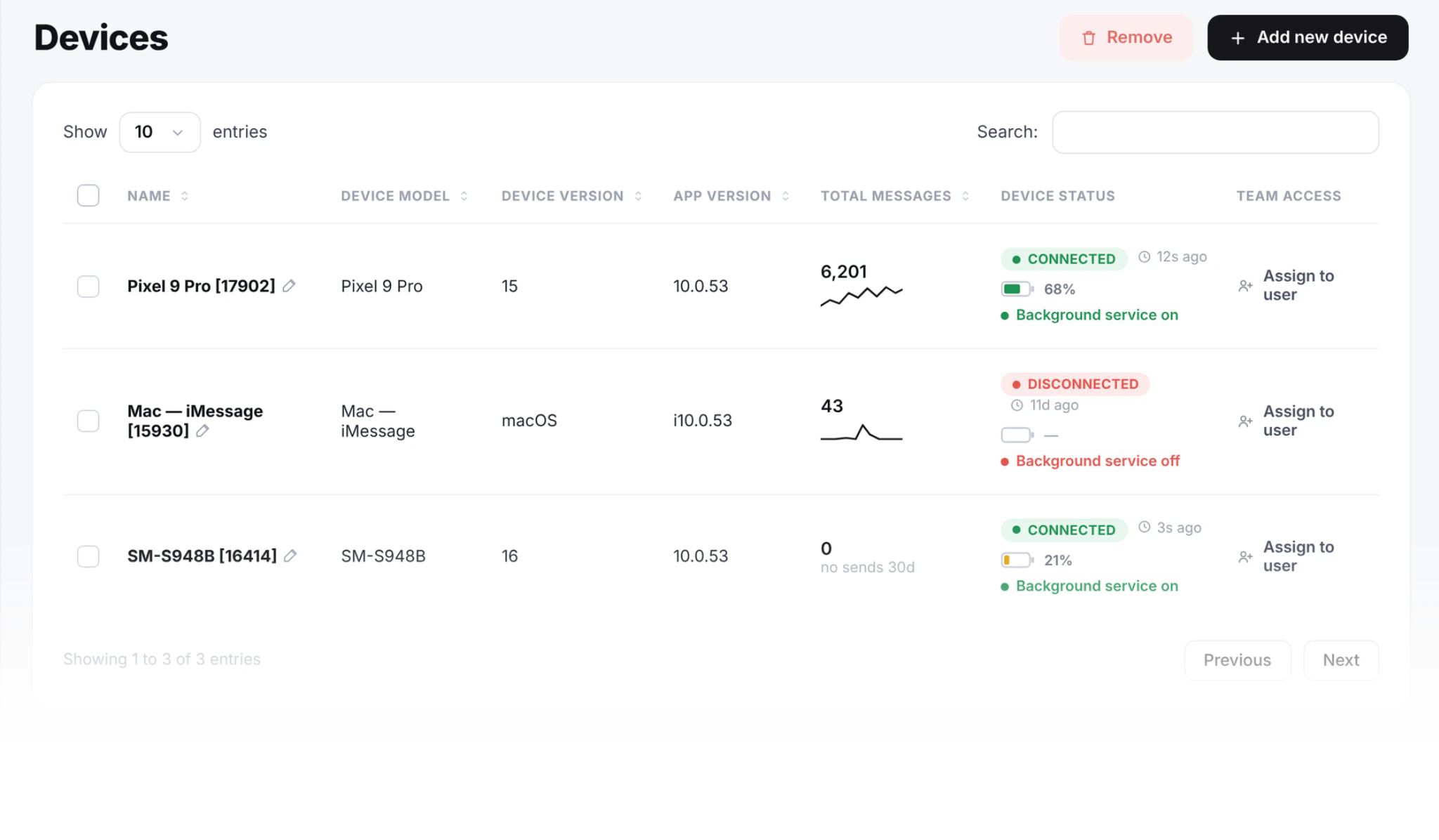
You put the SMS8 app on an Android phone you own. The phone connects to SMS8. Now anything you build can send a message, and it goes out through that phone's own SIM.
No rented number. No service in the middle. The message leaves the same SIM you use every day.
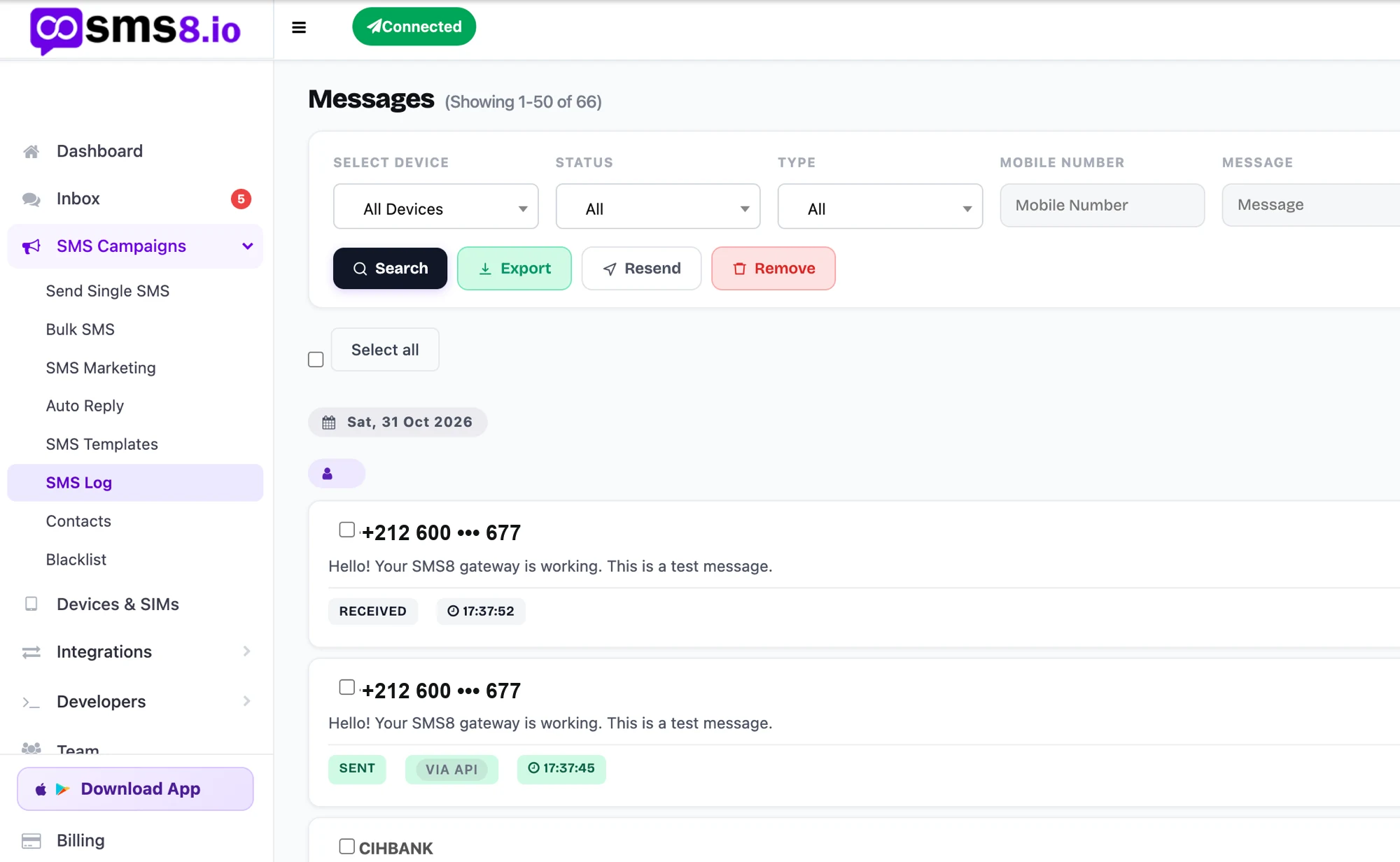
Behind the scenes, your request reaches SMS8, SMS8 hands the job to your phone over a connection the app keeps open, and the phone sends it through your local carrier. Replies travel the same path back.
- Send from the number you already own
- Replies come back to one shared inbox
- Delivery reports stream to your webhook
Three steps to your first message
From your code to the other person's phone in a second or two.
Pair your phone
Install the app and scan a short code from your dashboard. The phone stays connected in the background.
Call the API
Send one request with the number and the message. Or send from GoHighLevel, your store, Zapier or your own code.
It leaves your SIM
The phone sends the message through your carrier. The reply comes straight back to your shared inbox.
Which phone and which SIM sends
With more than one SIM on the account, you decide how the work is shared.
Pick a phone and a SIM
Name the device and the SIM slot on the send, and the message leaves exactly there. Useful when each client, branch or country has its own number and replies must come back to the right one.
Use every SIM in turn
Let SMS8 rotate through every SIM on every paired phone. A long list is split evenly, so each number carries only its share and stays within its carrier's limits.
One random SIM per send
SMS8 picks one of your SIMs for each request. A good fit for small, steady traffic spread over several phones.
Jump the queue
Mark a message as priority and it goes ahead of campaign traffic on the same phone. This is how login codes stay fast while a broadcast is running.
Send later
Add a time to any send and it waits until then. Combine it with a contact list to queue an evening reminder without writing a scheduled job of your own.
Why send from your own phone
You keep the number, the cost and the control.
People see your real number
Messages come from the number you already own, not a rented one people do not recognise. Replies land back with you.
No fee per message
One flat plan. Send as much as your own mobile plan allows.
No carrier sign-up, no A2P
You send from your own SIM, so there is no carrier registration and no long approval wait. Most teams send the same day.
You own the account
Not rented from a middleman. Cancel and your data stays yours.
No new hardware
Use the Android phone already in your pocket. Add more later.
Your data stays yours
Messages route through your own phone, not a shared pool.
How much can one phone send?
Your SIM and carrier set the limit, not the handset. For most teams, one phone covers the daily sending.
Campaigns go out at one message every 10 to 30 seconds per SIM. Single sends from your code, like a login code or an order update, do not wait for a campaign to finish.
Need more? Add another phone, plug it in and pair it. SMS8 spreads the work across your phones. A dual-SIM phone sends even more.
A recent dual-SIM handset is a sensible standard gateway phone. Two SIMs in one device double what it can send, and eSIM works the same way as a physical card.
iMessage from a Mac has its own daily pace, explained on the iMessage page.
What people run on it
Six jobs cover most of what our customers do.
Bulk SMS campaigns
Upload a list, pick a phone, hit send. Reach a whole tagged group in one go, with no per-message fee.
Login codes
Send codes from your own number. Set them to jump the queue.
Order and booking alerts
Shipped, appointment soon, payment failed. From your store.
Appointment reminders
Cut no-shows. Fire from your calendar or booking tool.
Drip follow-ups
Space messages over days. Pause the moment they reply.
Two-way support
People reply to any message you sent. Every reply lands in one shared inbox your whole team can answer from.
A phone gateway or a cloud SMS provider
Both send texts. They suit different jobs, so pick the column that matches yours.
| Cloud SMS provider | Android SMS gateway (SMS8) | |
|---|---|---|
| Cost per message | Charged on every text, plus carrier fees | No fee from SMS8, your mobile plan applies |
| Sender number | A rented virtual number or short code | The SIM in your phone |
| US registration | A2P 10DLC brand and campaign filing | Not needed, texts are person to person |
| Time to first message | Account checks and approval, often days | Pair a phone, a few minutes |
| Two-way texting | Yes, on the rented number | Yes, on your own number |
| Speed per sender | The throughput tier you pay for | Set by your carrier, add SIMs to send more |
| Best fit | Millions of one-way texts a month, worldwide | Two-way, transactional and campaign texting at business scale |
For teams that text their own customers, a phone they own is simpler and cheaper, and adding phones adds volume.
What a phone gateway asks of you
The trade-offs are real. Here they are up front.
Power and internet, all day
The phone needs Wi-Fi or mobile data to get send jobs and report back, and mobile signal for the SIM to deliver. Keep it on a charger. If the connection drops, messages wait and leave once it returns.
A phone just for sending
You can keep using the phone as normal, but once you send more than a few hundred texts a day, a dedicated handset with its own SIM keeps business and personal messages apart.
Your carrier's terms
Texts count against your own mobile plan. Many plans include unlimited texting under a fair use policy, so check what yours allows for business sending before a big campaign.
A SIM that can text
The phone needs a working SIM with a plan that includes texting. The number your contacts see is that SIM. Prepaid works too, as long as it has credit for the messages you send.
Battery settings
Turn off battery optimisation for SMS8. Some Android brands put background apps to sleep, and a sleeping phone stops picking up jobs.
A steady pace
Sending in a measured rhythm keeps your number healthy. If you need more speed, add a SIM or a phone rather than pushing one number harder.
Works with the tools you have
Send from GoHighLevel, Zapier, Make, n8n, WooCommerce, Shopify, Google Sheets, WordPress, or your own code. Pick the tool your team already uses.


Get the Android app
SMS8 runs on Android 7 and newer. Install it from Google Play, or get the signed APK from the download center if your phone has no Play Store. The APK is the same build as the Play Store app.
It works on phones from every major maker and on tablets with a SIM slot. One universal APK covers ARM, ARM64 and x86_64 devices, so you do not have to pick a version.
Sign in, scan the pairing code from your dashboard, and the phone is ready to send.
The app is free to install. Sending needs an SMS8 account, which starts with a 3-day trial. Plans are USD 29, 89 or 229 a month for one, five or twenty phones, and half that per month when you pay yearly.
Installing the SMS8 APK
For phones without the Play Store, company phones and fleets of gateway phones.
Download the file
Get the signed APK from the download center on the phone itself, or copy it over from a computer.
Allow this source once
Open the file. Android asks you to allow installs from this source the first time. Allow it, go back and tap Install.
Pair the phone
Open SMS8, sign in and scan the pairing code shown on your dashboard. The phone appears under your devices.
Send a test
Send a test message from the dashboard to your own number. It should arrive like any other text from that SIM. Later updates install without the source prompt.
Real setups
How three teams run it today.
Four phones, order alerts
A skincare brand sends order updates from four phones in the warehouse. The store fires the message, a phone sends it, and every reply lands in one shared inbox.
One phone, two SIMs
A small chain runs all its rebooking texts on one phone under the till. Clients reply to confirm.
One phone, login codes
A software team sends sign-up and 2FA codes from one dual-SIM phone, set to arrive first.
No. Messages leave from your own SIM, so there is no carrier sign-up and no outside service in the middle. You skip the per-message fees and the rented numbers.
No. You send person-to-person from your own SIM, so there is no campaign registration and no brand-approval wait. Most people send the same day. A2P 10DLC covers app traffic sent through US carriers by cloud providers, and a text from your own phone is not that.
Yes. Connect a Mac once and SMS8 sends iMessage to Apple contacts. If a number is not on iMessage, it sends an SMS instead.
A phone that stays powered and online, like a spare phone on a charger. It is a real device sending real messages. In return you own the number and pay no fee per message. The app runs as a background service with a small notification, which Android needs to keep it going for weeks without a restart.
A single message usually reaches the other phone within a few seconds of your request. Campaigns are paced on purpose, so a long list takes longer than a single text.
Android 7 or newer, which covers nearly every Android phone sold in recent years. Samsung, Pixel, Xiaomi, OnePlus, Motorola and the rest all work, as do tablets with a SIM.
Yes. The app sends and receives in the background while the phone works as usual. For steady business volume, a separate phone or SIM is cleaner.
Yes. A reply arrives on the SIM that sent the message and shows up in your SMS8 inbox and on your webhook, linked to the conversation.
Google Play updates it for you. If you installed the APK, check for updates in the app settings or install the newer APK over the old one. Your pairing and settings stay in place.
Yes. One simple request sends a message. You also get webhooks for replies and delivery, an SDK, and an MCP link so AI agents can send too.
Guides and comparisons
Go deeper on this topic.
Android SMS Gateway: Complete 2026 Developer Guide
How an Android SMS gateway works, what it costs and where it breaks: architecture, throughput, REST API, MCP, OTP, integrations and the common pitfalls.
Nov 2026Turn an Old Android Phone Into an SMS Gateway
Turn a spare Android phone into an SMS gateway in 2026: which phones work, a SIM with unlimited texting, battery and Doze settings, pairing and the API.
Nov 2026Dual SIM and eSIM SMS Gateway: Pick the SIM
Send SMS from two SIMs or an eSIM on one Android phone: choose the SIM per message with simSlot, rotate campaigns across SIMs and phones, carrier tips.
May 2026Bulk SMS From Your Own Phone: How to Stay Legal
Is bulk SMS from your own phone legal? Yes, with proof of consent. TCPA, GDPR, CASL and CTIA rules, opt-out wording, consent logs and safe sending pace.
May 2026A2P 10DLC Explained: Costs, Rules and How to Avoid It
A2P 10DLC explained for 2026: who must register, what the fees and vetting delays look like, and how to text US customers legally from your own SIM.
Nov 2026Cloud SMS API vs Phone SMS Gateway in 2026
Cloud SMS APIs like Twilio, Vonage, Plivo, Telnyx and Bird compared with an SMS gateway on your own phone: cost, deliverability, compliance and throughput.
Start in minutes
Install the app, pair your phone, and send your first message from your own number.