
SMS8 for teams that need control.
Run texting across many phones, teams and locations from one account. Decide who can send from which phone, set limits, see who sent what, and keep your data under your control. White label and private environments are available.
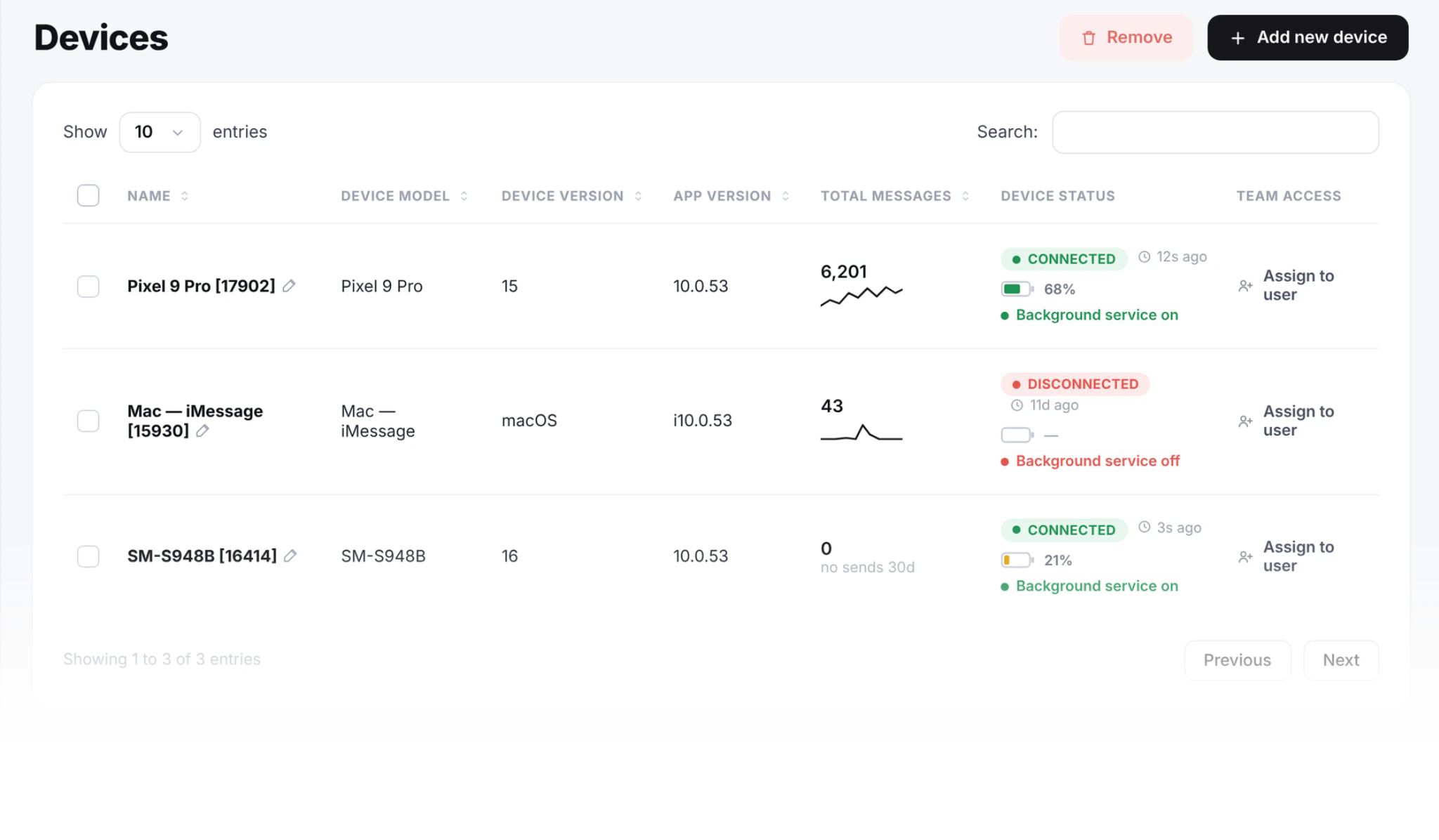
Control who sends what
Set the rules once. SMS8 applies them to every message.
Roles and phone access
Invite people to the team and give each one access to only the phones they need. Some members can reply, others can only read.
Send limits
Set a daily cap for each member and for the whole team.
Quiet hours
Block sending at night in each member's own time zone.
Content rules
Block phone numbers and links your team should never send to.
Opt-outs handled
When someone replies STOP, that number is blocked across every campaign.
Seats that grow
Invite members one by one or in bulk as the team grows.
A clear record
When someone asks what happened, you have the answer.
Who sent what
Every message shows which member sent it, from which phone and SIM, and when.
Admin activity log
See invites, changes to access and policy edits. Filter by member or action.
Export to CSV
Download activity for your own records or a review.
Usage per member and phone
See what each person and each phone sent today and over the last week.
Workspaces for each team or client
Split your account into workspaces, one per team, brand, location or client, and invite the right people to each.
Agencies keep every client apart. Larger companies give each department its own space without a second contract.
Your data stays yours
Messages leave from phones you own, with SIMs you own. They do not pass through a shared pool of rented numbers.
You decide what to keep. Owners can delete a workspace when it is no longer needed. Cancel and your account data stays yours.
What enterprise adds
Built around your volume, your rules and your roadmap.
White label
Run SMS8 under your own brand and domain, for your staff or your customers.
Private environment
A dedicated, separate environment for your company instead of the shared one.
Custom features
Ask for integrations or features your workflow needs. We scope them with you.
Volume pricing
One quote that covers all your phones, seats and workspaces.
Onboarding help
We help you plan the phones, pair them, set roles and connect your tools.
How it starts
Book a call
Tell us how many phones, teams and tools you have.
Get a quote
We send a quote that matches your setup and any custom work.
Roll out
We help you set up workspaces, roles and phones, then your team starts sending.
Plans go up to twenty phones. Beyond that, we build a quote around the number you need.
Yes. The owner grants each member access to specific phones, and can make them read only or allow replies.
Yes. Each message records the member, phone and SIM. Admin changes go to an activity log you can export.
No. Messages are sent person to person from your own SIMs, so there is no carrier campaign registration.
Yes. White label covers your brand and domain. Tell us what you need on a call and we will send a quote.
Plan your rollout with us
Book a call and we will help you map phones, teams and tools, then send you a quote.