
Part of the guide Shared Team SMS Inbox: Reply From One Business Number
On this page
- Key takeaways
- Why do staff end up texting from personal phones?
- What are the risks of business texting from personal phones?
- What does the right setup look like?
- How does SMS8 move texting off personal phones?
- How do you set it up, step by step?
- Which controls does the owner get?
- How does the team work together?
- What else can you do from the business number?
- What does it cost?
- Why choose SMS8
- Give your team the number, not their phones
Key takeaways
- Business texting from personal phones leaves the company with no record of what was said, no control over what is sent, and customer relationships that walk out the door with the employee.
- The fix is to put the business number on a SIM the company owns, in an Android phone that stays at the office, and let staff answer from a shared web inbox.
- With SMS8, every teammate signs in with their own login. Every outgoing message is stamped with who sent it, and you decide which phones and SIMs each person can use.
- You can block links and phone numbers in outgoing messages, give read-only access, and revoke a teammate in one click without swapping a SIM.
- Team seats come with the plan: 1 on One Device (USD 29 a month), 10 on Five Devices (USD 89) and 40 on Twenty Devices (USD 229), with unlimited SMS and MMS.
If your staff text customers from their personal phones, the business does not own those conversations. The better setup is a business number on a SIM the company controls, connected to a shared inbox where each employee replies under their own login. With SMS8, the business SIM sits in an Android phone that stays plugged in at the office, every text to that number appears in a web inbox, and staff answer from a browser. The customer sees the business number on every reply, and you see who sent what. This guide covers the risks of personal-phone texting in concrete terms, then the switch step by step. For the product overview, see the SMS8 shared team SMS inbox.
Why do staff end up texting from personal phones?
It rarely starts as a decision. It starts with convenience:
- Customers want to text. They would rather send a quick message than call, so a technician, an agent or a receptionist hands out their own number.
- The business phone is in someone else's pocket. One person holds the company mobile, so everyone else uses their own to get the job done.
- There is no other tool. The office has email and a phone line, but no way to text from a computer.
- It works, at first. Replies are fast and customers are happy, so nobody questions it until something goes wrong.
By the time the problems show up, dozens or hundreds of customer conversations live on phones the business does not own.
What are the risks of business texting from personal phones?
No record of what was said
The conversation sits on the employee's handset, mixed with family chats. When a customer disputes a price, a promise or an appointment time, the business cannot look it up. If the phone is lost, broken or wiped, the history is gone.
Customers leave when the employee leaves
Customers save the employee's personal number, not the company's. When that person moves on, the clients keep texting them, and some follow them to their next employer. The business loses the relationship and does not even know it.
No control over what is sent
Nobody can see what goes out. A staff member can send a wrong price, a link to a personal payment page, or a careless reply, and the owner finds out from an unhappy customer, if at all.
No cover when someone is away
If the employee is off sick, on holiday or busy on another job, their customers wait. Nobody else can see the thread or pick it up.
Privacy and data concerns
Customer names, addresses and details end up on personal devices the company cannot manage. That makes it harder to meet your own privacy duties and to answer if a customer asks what data you hold about them.
Employees carry the burden
Staff get customer texts at night and on weekends on the phone they use for their private life. Many would rather not share their number at all, and some feel they cannot say no.
What does the right setup look like?
Three changes fix all of the above:
- The business owns the number. A SIM in the company's name, in a phone that belongs to the company.
- The conversations live in a shared inbox, not on a handset. Everyone who needs to see a thread can see it, and the history stays when people leave.
- Each person has their own login with the access they need, and every message is stamped with who sent it.
SMS8 gives you exactly that without changing how customers text you. They keep texting a normal mobile number. Your team answers from a browser.
How does SMS8 move texting off personal phones?
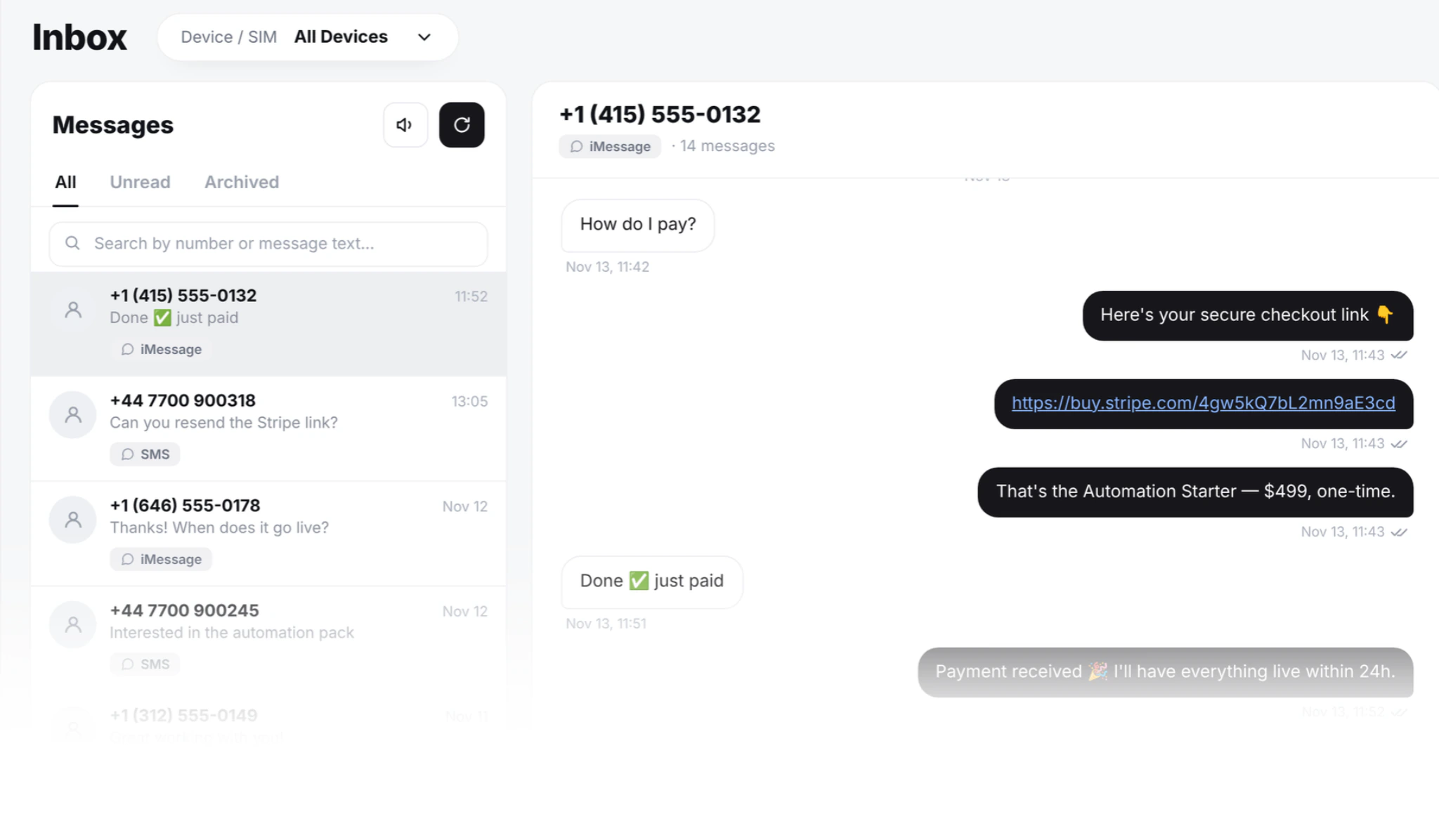
The business SIM goes into an Android phone running the SMS8 app. The phone stays plugged in at the office, in a drawer or on a shelf, and sends and receives in the background. Every text to that number appears in a web inbox at app.sms8.io, threaded by contact, and the full history is kept in your SMS8 account, not on the handset.
Staff open the inbox in any modern browser, on a desktop, a laptop or the browser of their own phone. Nothing needs installing on their devices, and their personal number is never shown to the customer. When anyone replies, the message leaves the business SIM the conversation came in on.
How do you set it up, step by step?
- Get a business SIM. Use the number you want customers to text, with a plan that includes texting. A dual-SIM or eSIM phone can carry two business lines, for example sales and support. Our guide to dual-SIM and eSIM SMS gateways explains how that works.
- Pick a phone that stays at the office. Any Android phone on Android 7 or newer. A spare handset is enough; see how to turn an old Android phone into an SMS gateway.
- Create your SMS8 account at app.sms8.io. The 3-day trial includes 30 messages and needs no card.
- Install the SMS8 app and pair the phone by scanning the short code in your dashboard. Turn off battery optimisation for SMS8, keep the phone on a charger and on Wi-Fi.
- Invite your team. Open the Team page, type each person's email, tick the phones and SIMs they can use and choose what they are allowed to send. They get a one-click link valid for seven days.
- Tell customers the number. Put it on your website, your invoices, your van and your email signature, and ask staff to give it out instead of their own.
- Move existing conversations. Have each employee send their regular customers one text from the business number, saying this is the number to use from now on.
Which controls does the owner get?
SMS8 gives owners six controls that cover what most businesses need:
- Access per phone and per SIM. Give reception the shop line and keep the finance SIM out of sight. New phones stay hidden from a teammate until you tick them.
- Block links. Stop a teammate from sending URLs, so nobody sends a personal payment link or a mistaken web address.
- Block phone numbers. Keep account and phone numbers out of outgoing messages, including staff handing out their personal number.
- Who sent it. Every outgoing message is stamped with the person who typed it. Filter by teammate, phone, SIM or date.
- Read only. Let trainees and auditors read conversations without sending.
- Revoke in one click. When someone leaves, their access ends on their next request. The number, the SIM and the history stay with the business.
New members can read and reply, and bulk sending stays off for them until you switch it on for that person.
How does the team work together?
- Whoever is free answers. The customer gets a fast reply from the business number, whoever is on shift.
- The next shift sees the history. Every message is in the thread, so nobody asks the customer to repeat themselves.
- Tags keep the queue in order. Labels like billing or shipping show what needs whom.
- Search across every line. Find any conversation by number, name or word, across every phone and SIM.
- Several locations, one owner. Each shop can have its own phone and local number, each manager sees only their shop, and the owner sees all of them.
For worked examples from front desks and dispatch teams, read team texting for clinics, field service and dispatch.
What else can you do from the business number?
Once texting lives on a business SIM, the same number can do more than reply:
- Reminders and confirmations scheduled for later, so customers confirm by replying.
- Campaigns to opted-in customers from an Excel or CSV list, with merge tags and automatic STOP handling, paced at one message every 10 to 30 seconds per SIM.
- MMS with photos and files, included in the unlimited plan.
- iMessage from a Mac you own running SMS8 Gateway, in the same inbox, with SMS fallback.
- Texts from your software through GoHighLevel, Zapier, Make, WordPress, WooCommerce, Google Sheets, n8n or the REST API at
POST https://app.sms8.io/api/v1/messages.
What does it cost?
SMS8 does not bill per seat or per message. Seats come with the plan:
| Plan | Monthly | Billed yearly (per month) | Phones or Macs | Team seats |
|---|---|---|---|---|
| One Device | USD 29 | USD 14.50 | 1 | 1 |
| Five Devices | USD 89 | USD 44.50 | 5 | 10 |
| Twenty Devices | USD 229 | USD 114.50 | 20 | 40 |
Every plan includes unlimited SMS and MMS with no fee per message from SMS8. Teammates do not need their own plan, and what they send counts against the owner's account. A small team sharing one business line usually fits Five Devices, which includes 10 seats. Your own mobile plan covers the SIM. See every detail on the pricing page, or how SMS8 compares with a hosted phone system in our team SMS inbox comparison.
Why choose SMS8
- The business owns the number. Customers text a SIM the company controls, and the history stays in your account when staff change.
- Control and a record. Access per phone and SIM, blocked links and numbers, read-only seats, one-click revoke, and every message stamped with who sent it.
- Seats included, flat price. From USD 29 a month with unlimited SMS and MMS and no fee per message or per seat. Yearly billing is half price.
- SMS, MMS and iMessage in one inbox, across every phone and SIM you pair, in any browser.
- No A2P 10DLC filing. Texts go person to person from your own SIM.
- Set up in minutes. Pair a phone, invite a teammate in about three minutes, and try it all with the 3-day trial.
Give your team the number, not their phones
Personal-phone texting works until someone leaves, a customer complains or a phone gets lost. Moving it to a business SIM and a shared inbox takes an afternoon with SMS8, and it protects your customers, your staff and your business. Start the 3-day trial with 30 messages, pair the business phone and invite your first teammate today.