
Part of the guide SMS Marketing Campaigns From Your Own Phone
On this page
- Key takeaways
- How to use these templates
- Retail SMS templates
- Restaurant SMS templates
- Clinic and salon SMS templates
- School SMS templates
- Real estate SMS templates
- Logistics and delivery SMS templates
- OTP and verification SMS templates
- What makes an SMS template work?
- How do I send a template to my whole list?
- What does sending these templates cost?
- Why choose SMS8 to send these templates
Key takeaways
- Every template below is under 160 characters as written, so it fits in one SMS in the standard GSM-7 alphabet.
- Merge tags like
{first_name}fill in from the columns of your contact file. A tag is usually longer than the value it becomes, so the sent message is usually shorter than the count shown. - Promotional messages end with "Reply STOP to opt out". Service messages the person asked for, like a booking confirmation or a login code, usually do not need it, but local rules decide.
- Say who you are in the first few words, keep one clear action, and avoid emoji and curly quotes, which switch the message to Unicode and cut the limit to 70 characters.
- Check any edited template with a character counter before you send. Ours is linked below.
A good SMS template names the business, says one thing, gives one action and, for promotions, tells people how to stop. The templates in this article are ready to copy for eight common uses, each under 160 characters with merge tags already in place, so a whole campaign goes out as one SMS per person. Swap in your business name and links, check the length, and send. For the bigger picture on campaigns, consent and timing, see the SMS8 SMS marketing page.
How to use these templates
Merge tags
In SMS8, any column in the CSV or Excel file you import becomes a merge tag. A column called first_name becomes {first_name}, and "Hi {first_name}" reads as each person's own name. The templates below use tags such as {date}, {time}, {order_id} and {address}. They work the same way: add a column with that name to your file, or rename the tag to match the column you already have.
Two habits prevent most merge-tag mistakes:
- Fill empty cells. A blank first name gives "Hi , your order". Fill blanks with a neutral word like "there", or remove the tag for those rows.
- Send a test first. Send the campaign to yourself and one colleague, and read it on a phone before the full list.
Character counts
The counts below are for the template exactly as written, tags included. A tag like {first_name} is 12 characters, which is longer than most first names, so the real message is usually a little shorter. Long values, such as a full street address in {address}, can push it over. If a template is near the limit and your values are long, shorten the wording.
One SMS holds 160 characters in GSM-7, the alphabet that covers Latin letters, digits and common punctuation. A single emoji, a curly quote or a letter outside GSM-7 switches the whole message to Unicode, which holds 70 characters. Longer messages are split into parts of 153 characters in GSM-7 or 67 in Unicode. Paste your final text into the SMS character counter to see the encoding and the number of parts.
STOP wording
For promotions, end with "Reply STOP to opt out". In SMS8, anyone who replies STOP is opted out of every future campaign on your account automatically. Service messages that a person requested, such as an order update, a booking confirmation or a login code, usually go without it. The rules differ by country, so check what applies where you send. This article is practical guidance, not legal advice.
Retail SMS templates
| Use | Template | Chars |
|---|---|---|
| New stock offer | Hi {first_name}, new stock just landed at Northside Store. 15% off for you this weekend: northside.shop/new Reply STOP to opt out | 129 |
| Saved basket | Hi {first_name}, your basket at Northside Store is saved. Finish your order here: northside.shop/cart Reply STOP to opt out | 123 |
| Order ready | Hi {first_name}, order {order_id} is ready to collect at Northside Store, open until 8pm. Bring this text. | 106 |
Tips: keep links short, since a long tracking link can use most of a message. Send offers at most a few times a month, and send order updates when the event happens, not in a batch the next day. The SMS marketing playbook has twelve campaign ideas with timing for each.
Restaurant SMS templates
| Use | Template | Chars |
|---|---|---|
| Booking confirmation | Hi {first_name}, your table for {party_size} at Olive House is booked for {date} at {time}. Reply C to cancel. | 110 |
| Weekly offer | Olive House: 2-for-1 pizza every Tuesday this month, {first_name}. Show this text at the till. Reply STOP to opt out | 116 |
| Takeaway ready | Hi {first_name}, your Olive House order is ready for pickup at the front counter. Enjoy your meal. | 98 |
Tips: a reply such as "C" arrives in your shared inbox like any other message, and someone on the team handles it there. Only STOP opts a person out automatically. Send offers before the meal you are promoting, such as late morning for a lunch deal, and use quiet hours so nothing goes out at night.
Clinic and salon SMS templates
| Use | Template | Chars |
|---|---|---|
| Appointment reminder | Hi {first_name}, reminder of your appointment at Lakeview Clinic on {date} at {time}. Reply Y to confirm or call us to change. | 126 |
| Check-up recall | Hi {first_name}, it has been 6 months since your last check-up at Lakeview Dental. Book online: lakeview.care/book Reply STOP to opt out | 136 |
| Salon rebooking | Hi {first_name}, time for your next cut? Ana at Studio 9 has openings this week. Reply with a day and we will book you in. | 122 |
| Missed appointment | Hi {first_name}, we missed you at Studio 9 today. Reply here to pick a new time that suits you. | 95 |
Tips: keep health details out of the text. A reminder needs the time and place, not the reason for the visit. Anyone who picks up the phone can read an SMS on the lock screen. Send reminders the day before, during opening hours, so a reply reaches someone who can act on it. Our article on team texting for clinics and dispatch covers how a front desk handles those replies together.
School SMS templates
| Use | Template | Chars |
|---|---|---|
| Closure notice | Riverside School: school is closed tomorrow {date} due to weather. Updates on riverside.school/news | 99 |
| Parent meetings | Riverside School: parent meetings for {student_name} are on {date}. Reply with a time between 3pm and 6pm. | 106 |
| Absence check | Riverside School: {student_name} was marked absent today. Please reply or call the office to confirm the reason. | 112 |
Tips: start with the school name so parents know who is texting before they open it. For urgent notices, mark the send as priority so it goes ahead of anything else waiting on the phone. Keep a clean contact file with one row per guardian, since many students have two.
Real estate SMS templates
| Use | Template | Chars |
|---|---|---|
| New listing match | Hi {first_name}, a new 3-bed in {area} just listed, close to your search. Want a viewing this week? Reply YES. Reply STOP to opt out | 132 |
| Viewing confirmation | Hi {first_name}, confirming your viewing at {address} on {date} at {time}. Reply Y to confirm. Sam, Keystone Homes | 114 |
| Price change | Hi {first_name}, the asking price on {address} has dropped. Still interested? Reply YES and I will call you. Sam, Keystone Homes | 128 |
Tips: real estate texts work best when they sound like they came from one agent, because they usually do. Sign with a name. Full addresses are long, so check the count with real values. Sending from the agent's own mobile number means buyers reply to a number they already have saved.
Logistics and delivery SMS templates
| Use | Template | Chars |
|---|---|---|
| Out for delivery | Your FastLine parcel {tracking_id} is out for delivery today. Track it: fastline.co/t Reply 1 to leave it with a neighbour. | 123 |
| Missed delivery | FastLine: we missed you today. Parcel {tracking_id} will be redelivered tomorrow. Reply 2 to collect from the depot. | 116 |
| Driver job offer | New job: pickup at {address} at {time}. Reply OK to accept or NO to pass. FastLine dispatch | 91 |
Tips: delivery texts are usually triggered by your system, not sent as a campaign. Send them from your own code or an integration the moment the status changes, and route replies like "1" or "2" to a webhook or to the person on shift. The driver template is for your own team, so it does not need STOP wording.
OTP and verification SMS templates
| Use | Template | Chars |
|---|---|---|
| Login code | Your Acme login code is {code}. It expires in 5 minutes. Never share this code with anyone. | 91 |
| Sign-up check | {code} is your Acme verification code. If you did not ask for it, ignore this message. | 86 |
| Payment confirmation | Acme: use {code} to confirm your payment. Our team will never ask you for this code. | 84 |
Tips: in the SMS8 OTP verification API, you write the wording once with a {code} placeholder, and SMS8 makes the code, stores it hashed with an expiry and checks it when the user types it. Match the expiry in the text to the expiry you set, which is five minutes by default. Putting the code near the start helps it show in the notification preview. Codes can jump ahead of other messages waiting on the same phone, so they arrive fast during a campaign.
What makes an SMS template work?
- Name the sender first. "Olive House:" or "Hi Sam, this is Lakeview Clinic" tells people who is texting before they decide to read on.
- One message, one job. A booking confirmation that also promotes a sale does both jobs badly.
- One clear action. Reply Y, tap a link, show the text at the till. Not three choices.
- Plain characters. Straight quotes, no emoji, no special symbols, unless you accept the 70-character Unicode limit. Messages in Arabic, Bengali, Hindi, Urdu or other non-Latin scripts are always Unicode, so plan for 70 characters per part.
- Short links. Use a short link or your own short domain.
- The right time. Send during the day in the recipient's time zone. SMS8 quiet hours hold campaign messages until morning.
- An easy way out. Promotions end with STOP wording, and STOP is honoured right away.
How do I send a template to my whole list?
With SMS8, the steps are the same for every industry:
- Pair a phone. Install the SMS8 app on an Android 7 or newer phone and scan the code on your dashboard. The texts leave its SIM as normal messages from your number.
- Import your list. Upload a CSV or Excel file with a phone column and the columns your tags need. Only import people who agreed to hear from you.
- Paste the template and check that every tag matches a column in your file.
- Test, then schedule. Send to a small test group, then pick a time outside your quiet hours.
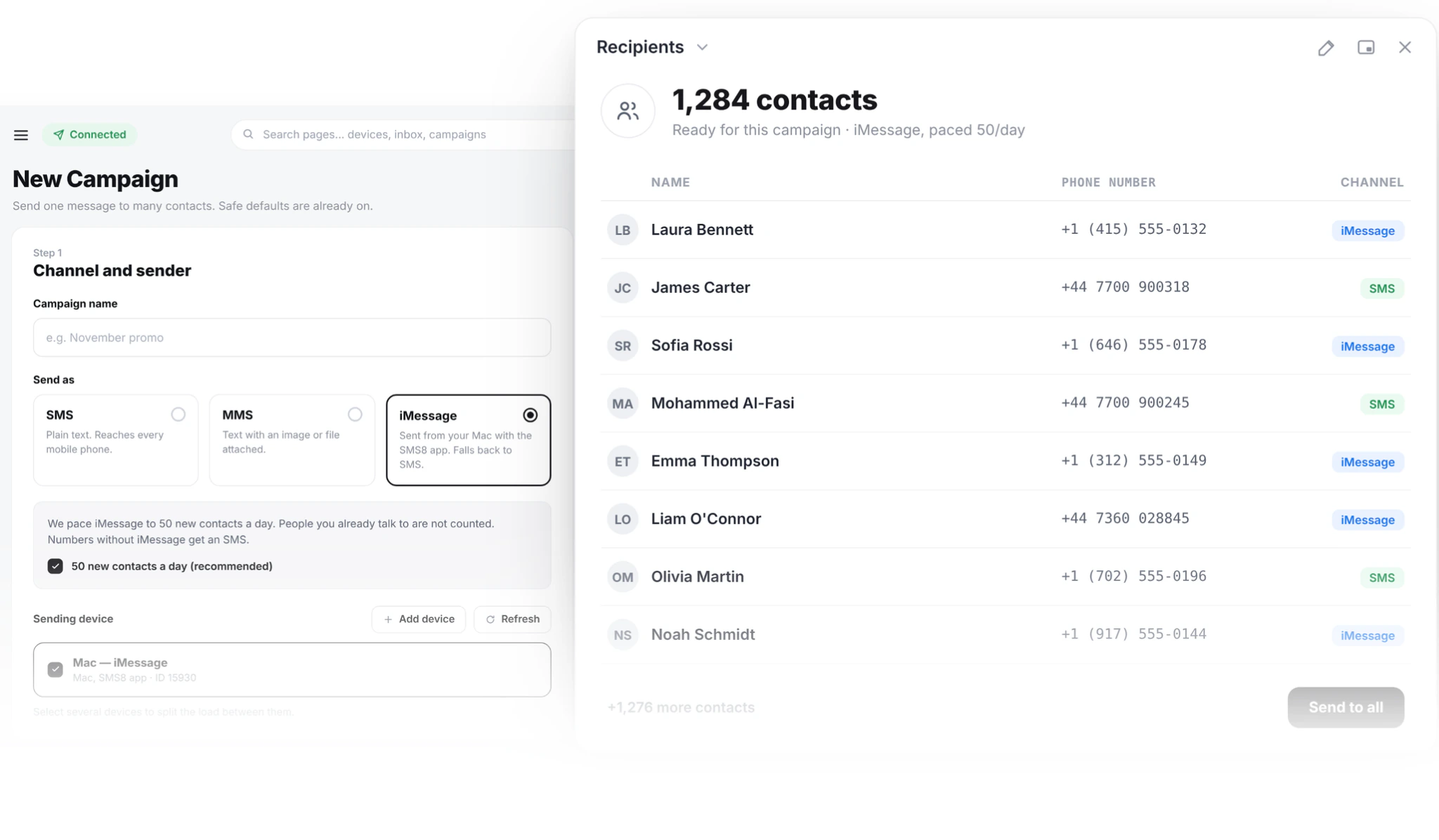
Campaigns are paced at one message every 10 to 30 seconds per SIM, which keeps your number in good standing. For bigger lists, use both SIMs of a dual-SIM phone or add phones and SMS8 rotates across them. Replies come back to a shared inbox, so a "Y" or a question is answered by whoever is free. The complete bulk SMS marketing guide covers list building, consent and measuring results.
Developers can send the same templates through the API. The message field accepts merge tags such as {first_name}, and a send to a saved contact list fills them in per person.
What does sending these templates cost?
SMS8 has no fee per message. Plans are USD 29 a month for 1 connected phone or Mac, USD 89 for 5 and USD 229 for 20, with unlimited SMS and MMS and yearly billing at half the monthly price. Your texts are covered by the mobile plan on the SIM that sends them. Keeping a template to one SMS still matters, because a message that splits into parts counts as several texts on many mobile plans. See SMS8 pricing for the plan comparison.
Why choose SMS8 to send these templates
SMS8 sends every template here from your own number on one flat plan.
- Your own number. Texts leave from the SIM in your own Android phone, so customers see a number they know and can reply to.
- A flat price with unlimited messages. USD 29 a month for one phone or Mac, USD 89 for five and USD 229 for twenty, with unlimited SMS and MMS and no per-message fee. Yearly billing is half the price.
- No A2P 10DLC filing. Texts go person-to-person from your SIM, so there is no brand, campaign or monthly campaign fee to manage.
- SMS, MMS and iMessage in one inbox. Pair Android phones for SMS and MMS and a Mac for iMessage with SMS fallback, then answer everything from one shared inbox.
- Automations without code. Official Zapier and Make apps, an n8n HTTP Request node recipe, and a Google Sheets add-on all send through the same phone.
Start the 3-day trial with 30 messages and no card, or compare plans on the SMS8 pricing page.