
Part of the guide SMS API Documentation: Android SMS Gateway, OTP and Webhooks
On this page
- Key takeaways
- What do you need before sending SMS from the command line?
- How do I install the sms8 CLI?
- How do I give the CLI my API key?
- Which sms8 commands exist?
- How do I send an SMS with curl instead?
- Does the CLI exit with an error when a send fails?
- Script 1: a cron job that sends appointment reminders
- Script 2: a deploy alert from your release script
- Script 3: SMS from CI, with the key as a secret
- How fast can I send from the terminal?
- What does it cost to send SMS from a script?
- Can an AI agent use the same CLI?
- Troubleshooting
- Why choose SMS8 for the command line
Key takeaways
- Install with
npm install -g sms8-sdk(or run it once withnpx -y sms8-sdk). The command issms8. - Set
SMS8_API_KEYonce, thensms8 send +14155550100 "Deploy finished"sends from the SIM in your paired Android phone. - If you cannot install Node, a single
curlcall tohttps://app.sms8.io/api/v1/messagesdoes the same job. - The CLI prints JSON. In scripts, check the
successfield, because a refused send can still exit with code 0. - In CI, keep the key in a secret, never in the repo, and send only on the events that need a human.
To send an SMS from the terminal, install the sms8-sdk package from npm, export your SMS8 API key as SMS8_API_KEY, and run sms8 send <number> "<message>". The text leaves from the Android phone you paired with your SMS8 account, so the recipient sees your normal mobile number. The rest of this guide covers every command that ships in the CLI today, the curl version for machines without Node, and three scripts people actually run: cron reminders, deploy alerts and CI notifications.
This post is part of the SMS8 API documentation and developer guide, which lists every endpoint and field. If you prefer to write code instead of shell scripts, the SMS API guide for developers covers Node, Python and PHP.
What do you need before sending SMS from the command line?
- An SMS8 account. The trial lasts 3 days and includes 30 messages, no card needed.
- An Android phone (Android 7 or newer) with a SIM, running the SMS8 app and paired to your account. This is the phone that actually sends.
- Your API key, shown on the API page of the dashboard at
app.sms8.io. - Node.js 18 or newer for the CLI. It uses the built-in
fetch. If you do not have Node, skip to the curl section.
How do I install the sms8 CLI?
The CLI ships inside the same package as the SDK and the MCP bridge. There is one package name to remember: sms8-sdk. Older package names like sms8-cli now point to it.
# Global install, gives you the sms8 command
npm install -g sms8-sdk

# Or run it without installing
npx -y sms8-sdk help
Check that it runs:
sms8 version
sms8 help
How do I give the CLI my API key?
The CLI looks for a key in this order: the --api-key= flag, then the SMS8_API_KEY environment variable, then a config file in your home directory. Pick one.
# Option 1: environment variable (best for scripts and CI)
export SMS8_API_KEY=sk_xxx

# Option 2: save it to ~/.sms8/config.json (best for your own laptop)
sms8 config set api_key=sk_xxx
sms8 config get

# Option 3: per call
sms8 balance --api-key=sk_xxx
Then confirm the key works and see what is connected:
sms8 setup      # validates the key and prints account info
sms8 devices    # lists paired phones and their IDs
sms8 balance    # credits left and renewal date
The config file is plain JSON. On a shared machine, restrict it with chmod 600 ~/.sms8/config.json, or stick to the environment variable.
Which sms8 commands exist?
These are the commands in the current CLI, taken from its built-in help. Anything not on this list is not a command.
| Command | What it does |
|---|---|
sms8 setup | Validates the key and prints account info |
sms8 send <phone> <message> | Sends one SMS, or an MMS when you add attachments |
sms8 otp send <phone> | Generates and sends a one-time code |
sms8 otp verify <phone> <code> | Checks a code against the latest OTP for that number |
sms8 otp wait <sender> | Blocks until an SMS from that sender reaches your phone and prints the code |
sms8 inbox | Recent sent and received messages |
sms8 devices | Paired phones |
sms8 balance | Credits and expiry |
sms8 config set|get | Stores or shows settings in ~/.sms8/config.json |
sms8 mcp | Runs the stdio MCP bridge for AI tools |
Sending a text
sms8 send +14155550100 "Your table is ready"

# Choose the phone that sends it
sms8 send +14155550100 "Sent from the office phone" --device-id=182

# Rotate across all paired phones (option 1) or all SIMs (option 2)
sms8 send +14155550100 "Load-spread send" --option=1

# Jump the queue for urgent alerts
sms8 send +14155550100 "Server down" --prioritize
Numbers go in international format, with the plus sign and country code. The routing flags --device-id, --sim-slot, --devices, --option, --random-device and --prioritize work on every send. Get device IDs from sms8 devices.
Sending a picture
sms8 send +14155550100 "Here is the floor plan" \
  --attachment=https://cdn.example.com/plan.jpg
An attachment turns the message into an MMS. Repeat --attachment for several files. The URL must be public HTTPS so SMS8 can fetch it. Size limits and file types are covered in the guide to sending MMS through an API.
Reading recent messages
sms8 inbox --limit=10
sms8 inbox --received --limit=50
sms8 inbox --sent --phone=+14155550100
OTP from the shell
sms8 otp send +14155550100 --length=6 --expires-in=300
sms8 otp verify +14155550100 482937
The otp wait command is useful in end-to-end tests: it waits for a code to arrive on your own paired phone and prints only the digits, so a script can capture it.
CODE=$(sms8 otp wait +15550001111 --timeout=120) && echo "got $CODE"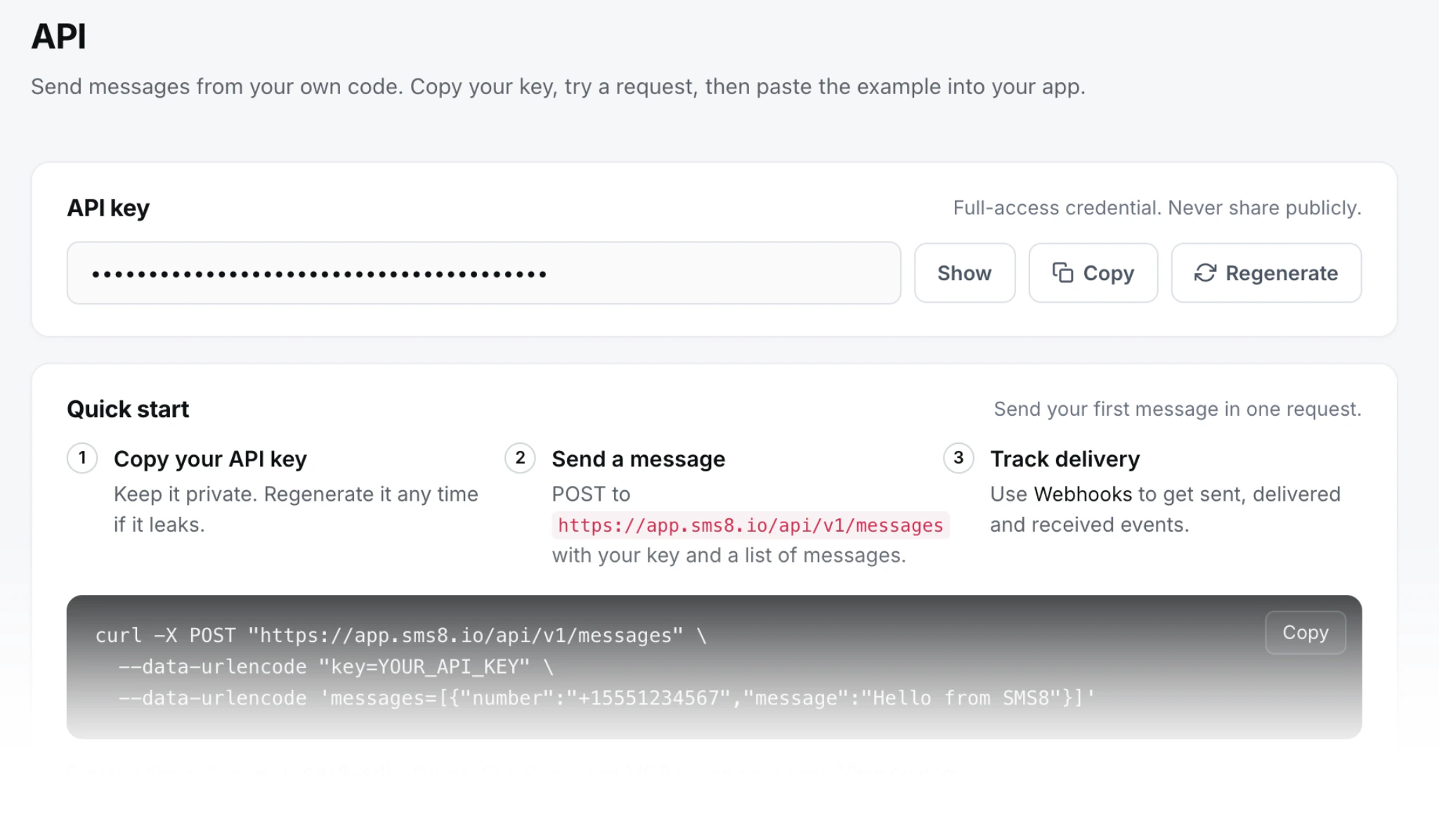
How do I send an SMS with curl instead?
On a server without Node, a router, a NAS or a minimal Docker image, curl is enough. The send endpoint takes a standard form post. Put the key in the X-Api-Key header so it stays out of URLs and logs.
curl -X POST https://app.sms8.io/api/v1/messages \
  -H "X-Api-Key: $SMS8_API_KEY" \
  --data-urlencode "number=+14155550100" \
  --data-urlencode "message=Backup finished at $(date +%H:%M)"
The answer is JSON with a success flag. On success, data.messages holds the queued message with its ID. On failure, error holds a code and a short message. A missing or wrong key gives a 401 code, and bad fields give 400.
Two extra fields are handy from the shell: prioritize=1 to jump the queue, and devices to pick a phone by ID. For an MMS, add type=mms and attachments with comma-separated public image links.
To check the result in a script, pipe the answer through jq:
resp=$(curl -s -X POST https://app.sms8.io/api/v1/messages \
  -H "X-Api-Key: $SMS8_API_KEY" \
  --data-urlencode "number=+14155550100" \
  --data-urlencode "message=Disk at 91 percent")

if [ "$(echo "$resp" | jq -r .success)" != "true" ]; then
  echo "SMS failed: $(echo "$resp" | jq -r .error.message)" >&2
  exit 1
fi
Does the CLI exit with an error when a send fails?
Partly. The CLI exits with code 1 when it cannot reach the server, gets an HTTP error, or the server returns a protocol error. If the request goes through but the send is refused inside a normal answer, for example because the account has no credits left, it prints the JSON with "success": false and exits with 0. So in scripts, read the field:
out=$(sms8 send +14155550100 "Nightly job done")
echo "$out" | jq -e '.success == true' >/dev/null || {
  echo "SMS not sent: $out" >&2
  exit 1
}
jq -e sets its exit code from the expression, which keeps the check to one line.
Script 1: a cron job that sends appointment reminders
A small business with a CSV of tomorrow's bookings can text each person every evening. Save this as remind.sh:
#!/usr/bin/env bash
set -euo pipefail
export SMS8_API_KEY="$(cat /etc/sms8/key)"

# bookings.csv: phone,first_name,time   (one header line)
tail -n +2 /srv/bookings/tomorrow.csv | while IFS=, read -r phone name time; do
  sms8 send "$phone" "Hi $name, a reminder of your visit tomorrow at $time. Reply C to confirm." \
    | jq -e '.success == true' >/dev/null || echo "failed: $phone" >> /var/log/remind.log
  sleep 20
done
And schedule it at 6 pm every day with crontab -e:
0 18 * * * /usr/local/bin/remind.shThe sleep 20 is not decoration. SMS8 sends from a real SIM, and the recommended bulk pace is one message every 10 to 30 seconds per SIM. A short pause keeps the phone queue smooth and keeps your traffic looking like a person texting, which is what it is. If you need more volume, pair more phones and use --option=1 to rotate across them. Cron runs with a minimal environment, so read the key from a file as above, or set it at the top of the crontab.
Replies to "Reply C to confirm" land in your SMS8 inbox. To process them automatically, register a webhook rather than polling; the trade-offs are explained in webhook vs polling for incoming SMS.
Script 2: a deploy alert from your release script
Add one line to the end of a deploy script and the on-call person gets a text when a release finishes or fails.
#!/usr/bin/env bash
set -uo pipefail
ONCALL="+14155550100"

if ./deploy.sh production; then
  sms8 send "$ONCALL" "Deploy OK: $(git rev-parse --short HEAD) on production"
else
  sms8 send "$ONCALL" "Deploy FAILED on production, see the CI log" --prioritize
  exit 1
fi
Keep alerts for events that need a human. A text for every successful build quickly becomes noise people mute. Failures, rollbacks and certificate expiry warnings are the useful ones.
Script 3: SMS from CI, with the key as a secret
In GitHub Actions, store the key under Settings > Secrets and variables > Actions as SMS8_API_KEY, and the on-call number as a second secret. Then add a step that runs only when the job fails:
- name: Text on-call if the build fails
  if: failure()
  env:
    SMS8_API_KEY: ${{ secrets.SMS8_API_KEY }}
    ONCALL: ${{ secrets.ONCALL_PHONE }}
  run: npx -y sms8-sdk send "$ONCALL" "CI failed on ${{ github.repository }} (${{ github.ref_name }})"
GitHub masks secret values in logs. The same pattern works in GitLab CI with a masked variable, or in any runner that injects environment variables. For a runner with no Node, use the curl call from above with the same variable.
A few rules that save trouble:
- Never put the key in the repository, a Dockerfile or a command line that ends up in shell history.
- Do not run the send step on pull requests from forks. Secrets are not passed to them by default, and you do not want them to be.
- Use a separate SMS8 account or key for CI if several teams share the pipeline, so you can rotate one without breaking the others.
- If the pipeline retries jobs and you use the REST call, an identical send repeated within five minutes is answered from the first result instead of being sent twice. You can also pass your own
idempotencyKeyfield to control this.
How fast can I send from the terminal?
The API has no artificial rate limit. The real pace is set by your SIMs, because every message goes through a phone. For alerts and one-off texts that never matters. For lists, plan on one message every 10 to 30 seconds per SIM, and add phones to go faster. A dual-SIM phone can send from both SIMs with --option=2. If you find yourself writing a loop over thousands of numbers, the campaign tools in the dashboard handle pacing, scheduling and opt-outs for you.
What does it cost to send SMS from a script?
SMS8 does not charge per message. Plans are a flat USD 29 a month for 1 connected phone, USD 89 for 5 and USD 229 for 20, with unlimited SMS and MMS, and yearly billing at half the monthly price. Your carrier plan on the SIM still applies, so use a SIM with unlimited texting. Because the texts go person to person from your own SIM, there is no A2P 10DLC registration. Full details are on the SMS8 pricing page.
Can an AI agent use the same CLI?
Yes, in two ways. The CLI itself is just a command, so an agent with shell access (Claude Code, for example) can call sms8 send like any other tool. The cleaner path is MCP: sms8 mcp runs a stdio bridge that gives the agent named tools such as send_sms and get_messages. The Claude Code SMS tutorial walks through it, and the guide to letting an AI agent send SMS covers safety and approval.
Troubleshooting
- "No API key": the variable is not set in that shell. Cron and CI do not read your
.bashrc. - HTTP 401: the key is wrong or was rotated. Copy it again from the API page.
- Message stuck as queued: the phone is offline or Android battery saving stopped the SMS8 app. Turn off battery optimization for the app and keep the phone on power.
- "command not found: sms8": the global npm bin folder is not on your PATH. Use
npx -y sms8-sdkinstead. - Error code 4 on a sent message: the phone had no carrier signal at send time. Resend it once the signal is back.
Why choose SMS8 for the command line
SMS8 is the SMS CLI that sends from your own phone.
- A developer-friendly API.
POST https://app.sms8.io/api/v1/messageswith anX-Api-Keyheader, signed webhooks retried for up to 30 days, andnpm install sms8-sdkfor the SDK and thesms8CLI. - Your own number. Texts leave from the SIM in your own Android phone, so customers see a number they know and can reply to.
- A flat price with unlimited messages. USD 29 a month for one phone or Mac, USD 89 for five and USD 229 for twenty, with unlimited SMS and MMS and no per-message fee. Yearly billing is half the price.
- Made for AI agents. Connect Claude Code with
claude mcp add --transport http sms8 https://mcp.sms8.io, or any MCP client through the hosted server ornpx -y sms8-sdk mcp. - Setup in minutes. Install the app, pair the phone and copy your API key. The 3-day trial includes 30 messages and needs no card.
Start the 3-day trial with 30 messages and no card, or compare plans on the SMS8 pricing page.