
Part of the guide Unlimited SMS OTP Sender: Verification API
On this page
- 1. Store every phone number in E.164
- 2. Validate before you send
- 3. Use sane OTP parameters
- 4. How do I avoid timing attacks on the verify endpoint?
- 5. How do I prevent phone bombing?
- 6. What should happen when a user changes their phone number?
- 7. Have a fallback channel
- 8. How do I detect VOIP and burner numbers?
- What should you not build yourself?
- Bonus: how do I handle "I never got the code" gracefully?
- Bonus: regulatory considerations specific to verification
- The hidden cost: support tickets
- Quick reference card
- Why choose SMS8 for phone verification
The 8 practices, summarised
- Store in E.164. Always.
- Validate format before sending an SMS.
- Use 6-digit codes, 10-minute expiry, 5-attempt cap.
- Constant-time compare. Hash before storage.
- Rate limit per phone, per IP, and per user account.
- Notify the old number on phone change.
- Have a non-SMS fallback (email, TOTP, authenticator app, backup codes).
- Detect carriers and VOIP for high-risk flows.
The first time I shipped phone verification was 2019. The user submitted a phone, we sent a 4-digit code with no expiry, stored it in plaintext, compared with ==, and let users retry forever. It worked great until our QA found that you could brute force any account in roughly twenty minutes. Embarrassing. I rewrote the entire flow in a weekend and have since rewritten variations of it for a dozen products. This post is the checklist I tape to the wall. With SMS8, the OTP API handles expiry, attempt limits and hashed codes for you, and the code leaves from your own number.
If you want the sending side handled for you, the SMS8 OTP verification API generates and checks codes in two calls. For broader context see the more technical SMS OTP API guide and the Android SMS gateway guide, which goes deeper into the code-level patterns. This post is the higher-level "did I do this right" checklist that complements them.
Some of the research and outline for this post was prepared in collaboration with our partner ranki.io.
1. Store every phone number in E.164
E.164 is the ITU's international format. A + at the start, country code, subscriber number, no spaces, no dashes, no parentheses. Maximum 15 digits.
# Good
+14155551234
+447911123456
+212661234567

# Bad
(415) 555-1234
0044 7911 123456
+1 415-555-1234
1-415-555-1234
Use libphonenumber to normalise. Every major language has a port. The ITU spec itself is at itu.int/rec/T-REC-E.164.
The most painful bug I have personally chased involved a US number stored as "4155551234" in one table and "+14155551234" in another. Two different parts of the same product, one customer, two "different" users. Deduplication was broken for six months before we caught it. Normalise on input. Always.
2. Validate before you send
Sending an SMS to a malformed number wastes a send quota, can cost real money on CPaaS, and produces a confusing error chain. Validate first.
use libphonenumber\PhoneNumberUtil;
use libphonenumber\PhoneNumberFormat;

$util = PhoneNumberUtil::getInstance();
try {
    $proto = $util->parse($input, $defaultCountry);
    if (!$util->isValidNumber($proto)) {
        return error('invalid');
    }
    $e164 = $util->format($proto, PhoneNumberFormat::E164);
} catch (Throwable $e) {
    return error('malformed');
}
Also check the number type. If your product only supports MOBILE and you accidentally accept FIXED_LINE, your SMS will silently fail. libphonenumber exposes getNumberType() for exactly this.
3. Use sane OTP parameters
| Parameter | Default | Why |
|---|---|---|
| Code length | 6 digits | One million combinations, brute-force-resistant with attempt cap |
| Expiry | 10 minutes | Long enough for user, short enough for safety |
| Max verify attempts | 5 | Brute force becomes 5-in-a-million |
| Resend cooldown | 60 seconds | Stops accidental double-tap and reduces carrier strain |
| Per-phone send cap | 5 per 24h | Stops SMS bombing of victims |
| Per-IP send cap | 20 per hour | Catches scripted abuse before it touches the SIM |
| Per-account send cap (if authenticated) | 10 per day | Catches compromised accounts being used to bomb others |
4. How do I avoid timing attacks on the verify endpoint?
Constant-time compare. Always. The HMAC construction is documented in RFC 2104 and the same constant-time principle applies to OTP hash comparison.
// Wrong: leaks timing
if ($storedHash === $submittedHash) { ... }

// Right
if (hash_equals($storedHash, $submittedHash)) { ... }
Same logic in Node: crypto.timingSafeEqual. In Python: hmac.compare_digest. In Go: subtle.ConstantTimeCompare. Pre-hash the submitted code with the same algorithm and pepper as the stored hash before comparing.
An attacker can measure the response time across thousands of requests and learn the code one character at a time if you use a naive comparison. The fix is so small (one function call) that there is no excuse for ever shipping the wrong version. OWASP has a clear explanation at owasp.org.
5. How do I prevent phone bombing?
This is the single most common abuse pattern in 2024 to 2025. An attacker scripts your /send-otp endpoint to spam a victim's phone with hundreds of codes per hour. Sometimes for harassment, sometimes to push the victim into giving up on the service. Three layers of defence:
- Per-phone rate limit. Max 5 OTP sends per 24 hours per number. Enforced server-side. SMS8 builds this into the OTP endpoint (and the
send_otpMCP tool), so you do not have to rebuild it. - Per-IP rate limit. Max 20 OTP sends per hour per IP. Effective against single-IP scripts, which are a large share of the abuse you will see.
- Bot challenge. hCaptcha, Cloudflare Turnstile, or reCAPTCHA v3 on unauthenticated send-OTP requests. Invisible by default; only escalates when behaviour looks scripted.
The typical attack is simple: a script hits your send endpoint over and over for one victim's number. Without a per-phone cap it burns through your SIM's sending capacity in hours. A per-phone cap, an IP limit and a captcha on the request form, together, stop it.
6. What should happen when a user changes their phone number?
Phone change is the number one account takeover vector. The right flow:
- User requests change. Old session must be authenticated and re-authenticated (password + existing 2FA) within the last 5 minutes.
- Send OTP to the new number.
- User enters OTP to confirm new number.
- Simultaneously send a notification SMS to the OLD number: "Your phone number was changed at {time}. If this was not you, contact support immediately. Reply UNDO to revert within 24 hours."
- Optional but recommended: 24-hour cool-down before the new number can receive security OTPs. During the cool-down, sensitive actions require email OTP or TOTP.
That extra notification to the old number stops the takeover even if the attacker controls the email. It is a tiny piece of code with an outsized payoff.
7. Have a fallback channel
SMS can fail. The user can be on a flight, in a tunnel, on a number that was just ported and is briefly unreachable, on a carrier that filters your sender, or on a roaming SIM that has SMS disabled in their settings. Every high-stakes verification flow needs at least one fallback. The ladder we recommend:
- Email OTP (second priority). Same code length, same expiry. Different transport.
- Authenticator app (TOTP). Lower-friction once enrolled. Works offline. Cannot be intercepted by SIM swap.
- Backup codes printed at enrolment. 10 single-use codes the user stores in a password manager.
- WhatsApp OTP where available. Useful in EU and LATAM where WhatsApp adoption is near-universal.
- Hardware key (FIDO2). Highest assurance, lowest adoption. Worth offering to admins.
For consumer apps, "we sent you an email instead" after SMS fails is the cheapest reliable fallback. The UX bar is "the user does not get stuck", not "the fallback feels native".
8. How do I detect VOIP and burner numbers?
For high-risk flows (banking, crypto exchanges, marketplaces), you sometimes need to block VOIP. Approaches:
- HLR lookup. Query the home location register; some carriers return number type. Accuracy varies widely by region and carrier.
- Carrier detection APIs. Number lookup services return the line type, with good but not perfect accuracy, for a small fee per lookup.
- Behavioural signals. Device fingerprint, IP reputation, signup velocity, time-zone consistency. Often more reliable than line type alone.
- Combine all three into a risk score and gate the action behind a manual review threshold rather than blocking outright.
Honestly, in 2026 we lean on behaviour over line type. Many legitimate people use VOIP (Google Voice for privacy, EU dual SIM with a foreign eSIM, Skype numbers for business). Blocking VOIP outright costs you good users. Use it as one signal among many, not as a hard gate.
What should you not build yourself?
Two things. First, spend an extra day on rate limiting. The cost is real and the upside is sleep. Second, do not roll your own OTP storage. Use a dedicated endpoint, like our OTP API or Twilio Verify, where the constant-time compare, hashing, and abuse caps are someone else's problem. Half the bugs I shipped early were in code I should have outsourced. The other half were in the UX (resend buttons that fired on double-click, autofill that did not work because I forgot the iOS hint).
It is a common path: a team builds OTP once, debugs it for months, and finally outsources it because paying for the primitive costs less than their own engineering time.
Bonus: how do I handle "I never got the code" gracefully?
This is the single most-clicked "report problem" link on every OTP screen we have ever instrumented. The right UX:
- Wait 30 seconds before showing the "Resend" button, with a visible countdown. Most legitimate users get the SMS within 10 seconds; the others usually have a network issue you cannot fix.
- After 30 seconds, enable "Resend code" but also surface a "Try a different number" link. Many "I did not get it" reports turn out to be users who typed the wrong number.
- After two failed resends, automatically fall back to email OTP if you have one on file. Tell the user: "We sent it to your email instead". Do not make them click a button they may not see.
- Log each resend with the reason (timeout, user-clicked, fallback) and the channel used. This is your input for the weekly OTP-health dashboard.
These fixes are UX, not infrastructure, and they are the cheapest way to cut "I did not get my code" tickets.
Bonus: regulatory considerations specific to verification
Even though OTPs are usually transactional and exempt from TCPA marketing rules, two things still apply.
- Sender identification. The CTIA requires every SMS to identify the sender. "Your code is 482917" is borderline; "Acme: your code is 482917" is safe.
- Right to data deletion. Under GDPR and CCPA, users can ask you to delete the phone number you stored at verification. Your OTP table and your consent log need a deletion endpoint or you fail the audit.
- Cross-border data flows. If your gateway phone sits in France but you verify users in California, you are moving phone numbers across the Atlantic. Standard Contractual Clauses and a privacy notice are usually enough; check with counsel for your specific stack.
The hidden cost: support tickets
Every OTP flow generates support tickets. The four most common kinds:
| Ticket category | Fix |
|---|---|
| "I did not get the code" | Self-serve resend button with countdown; clear error if quota exhausted |
| "The code expired before I could type it" | Increase TTL to 10 minutes if you used 5; verify clock sync |
| "I keep getting invalid code" | Trim whitespace, normalise Arabic/Persian unicode digits to ASCII |
| "My phone number changed and I can't log in" | Documented recovery flow with identity verification; not the agent's discretion |
| Other | Various |
Investing one hour in better error messages on the verify screen ("This code has expired, request a new one") and a visible countdown timer removes a lot of the first two categories. It is the cheapest UX win available.
Quick reference card
| Concern | Setting |
|---|---|
| Format | E.164 |
| Code length | 6 digits |
| Expiry | 600 seconds |
| Attempts | 5 |
| Resend cooldown | 60 seconds |
| Phone send cap | 5 per 24h |
| IP send cap | 20 per hour |
| Account send cap | 10 per day |
| Storage | SHA-256 hash + pepper |
| Compare | hash_equals / timingSafeEqual |
| Notify on number change | Yes, to old number with UNDO option |
| Cool-down after change | 24 hours before security OTPs allowed |
| Fallback channel | Email OTP + TOTP enrolled |
Why choose SMS8 for phone verification
SMS8 gives you the OTP endpoints with these protections already in place.
- OTP built in. Send and verify a code in two calls, from your own number, with no fee per code.
- Your own number. Texts leave from the SIM in your own Android phone, so customers see a number they know and can reply to.
- A flat price with unlimited messages. USD 29 a month for one phone or Mac, USD 89 for five and USD 229 for twenty, with unlimited SMS and MMS and no per-message fee. Yearly billing is half the price.
- No A2P 10DLC filing. Texts go person-to-person from your SIM, so there is no brand, campaign or monthly campaign fee to manage.
- A developer-friendly API.
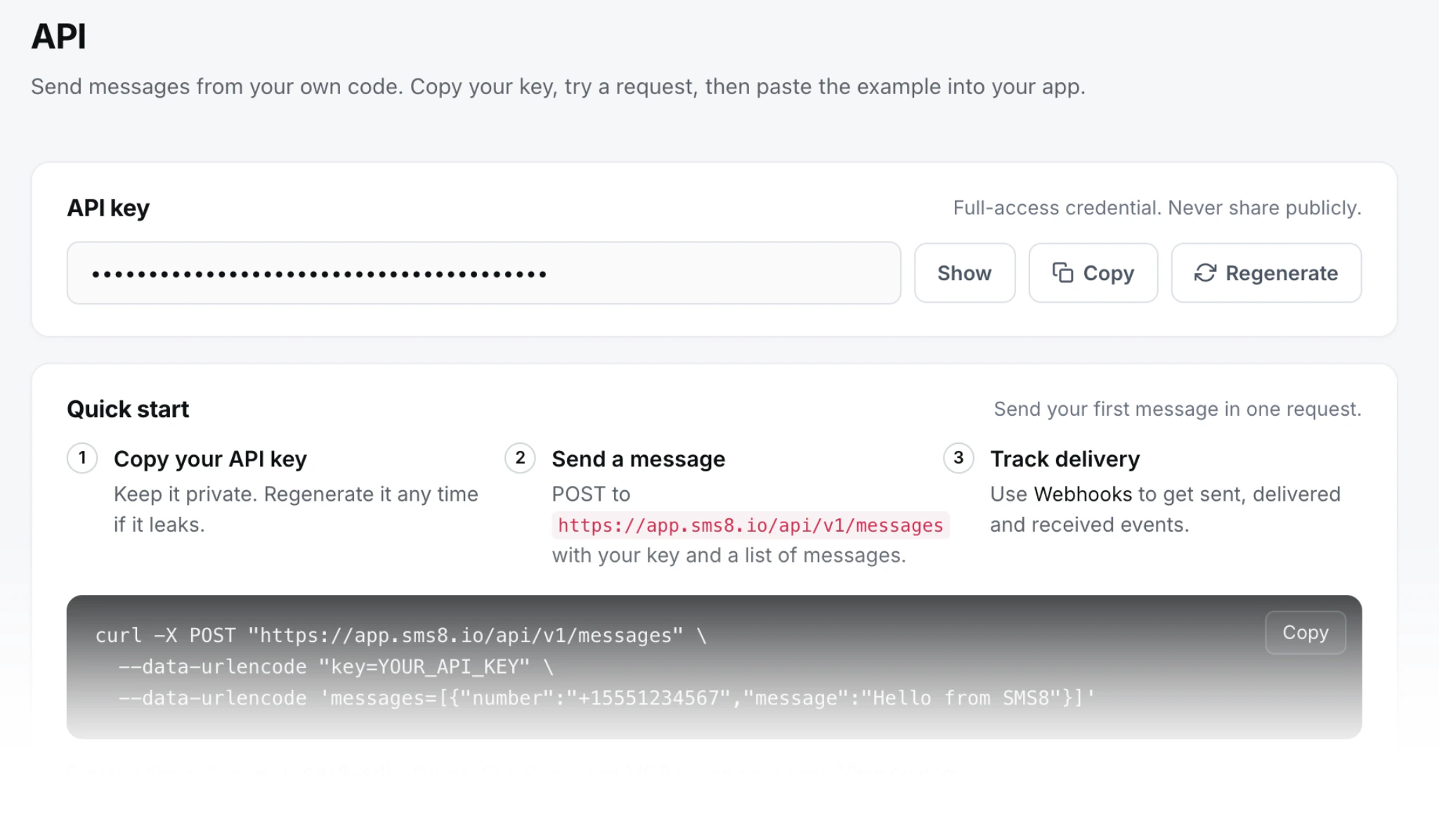
POST https://app.sms8.io/api/v1/messageswith anX-Api-Keyheader, signed webhooks retried for up to 30 days, andnpm install sms8-sdkfor the SDK and thesms8CLI.
Start the 3-day trial with 30 messages and no card, or compare plans on the SMS8 pricing page.