
Part of the guide Unlimited SMS OTP Sender: Verification API
On this page
- Key takeaways
- What does "free" really mean for an OTP sender?
- And what does "unlimited" mean?
- How does the SMS8 OTP API work?
- What security rules does an OTP flow need?
- When does your own phone work best as an OTP sender?
- How much does it cost at real volumes?
- Set up an OTP sender in four steps
- Why choose SMS8 to send OTP codes
Key takeaways
- No SMS OTP is truly free. Someone always pays the carrier for the text. When you send from your own SIM, that someone is your mobile plan, which often includes unlimited SMS.
- SMS8 turns an Android phone into an OTP sender with two calls:
POST https://app.sms8.io/ajax/otp-send.phpandPOST https://app.sms8.io/ajax/otp-verify.php. - You can test it free for 3 days with 30 messages and no card. After that, plans are flat: USD 29 a month for one phone, with no fee per message or per verification.
- The endpoints enforce the safety rules for you: codes stored hashed, a timing-safe check, expiry, attempt limits, a resend wait and a hard cap of 5 codes per number every 24 hours.
- Codes come from your own mobile number, which users recognise, with no A2P 10DLC filing.
A free OTP sender app is usually an Android app that sends one-time codes from the phone's own SIM, so you do not pay a provider per text. SMS8 works this way: you pair an Android phone, call one endpoint to send a code and another to check it, and the code reaches your user as an ordinary text from your mobile number. The honest answer to "free" is that the SMS8 trial is free, the texts cost whatever your mobile plan charges, and the paid plan is a flat monthly price with no per-code fee. This article explains each part, shows the exact API calls, and lists the security rules that matter more than the price.
For the full product page, see the SMS8 OTP verification API. If you plan to build the code storage yourself instead, our guide to building an SMS OTP flow on your own Android phone has the schema and code in four languages.
What does "free" really mean for an OTP sender?
Search for a free mobile OTP verification API and you will find three kinds of "free". It helps to separate them.
1. Free trials of paid services
Most verification APIs offer a trial. Twilio, for example, says on its Verify pricing page that you can start a free trial with no credit card. After the trial, Verify costs $0.05 per successful verification plus $0.0083 per SMS in the US, as listed on their site in November 2026. A trial is good for testing. It is not a free way to run production.
2. Free plans that do not include SMS
Some platforms have a free tier for authentication but not for phone codes. Firebase is a common example: its pricing page marks phone authentication as not applicable on the free Spark plan, and on the Blaze plan it is billed per SMS sent, as listed on their site in November 2026. The login system is free. The text message is not.
3. Sending from your own SIM
Here the text goes out through a SIM you already pay for. If your mobile plan includes unlimited SMS to your country, each code costs nothing extra on top of that plan. This is the closest thing to a free OTP sender in production. What you pay for is the software that turns the phone into an API, plus the phone and the plan you already have.
With SMS8 that looks like this:
- Trial: 3 days with 30 messages, no card needed. Enough to wire up and test a sign-up flow.
- Plan: USD 29 a month for one connected phone, USD 89 for five, USD 229 for twenty. Yearly billing costs half the monthly price. See SMS8 pricing.
- Per code: no fee from SMS8. The text costs whatever your mobile plan charges for one SMS.
And what does "unlimited" mean?
Every SMS8 plan includes unlimited SMS and MMS, which means SMS8 does not cap or meter your messages. Three things still set real limits, and you should know them before you rely on one phone:
- Your mobile plan. "Unlimited texting" on a consumer plan often has a fair-use policy. Read it, especially if you also send campaigns from the same SIM.
- The per-number safety cap. The OTP endpoint refuses more than 5 codes per phone number in 24 hours. That is a feature: it stops someone using your form to flood a stranger with texts.
- One SIM is one sender. Each phone works through its own queue of messages. For OTPs you can set codes to jump ahead of other messages waiting on the same phone, or send codes from a dedicated phone or SIM so they never wait behind a campaign. To grow, add phones.
How does the SMS8 OTP API work?
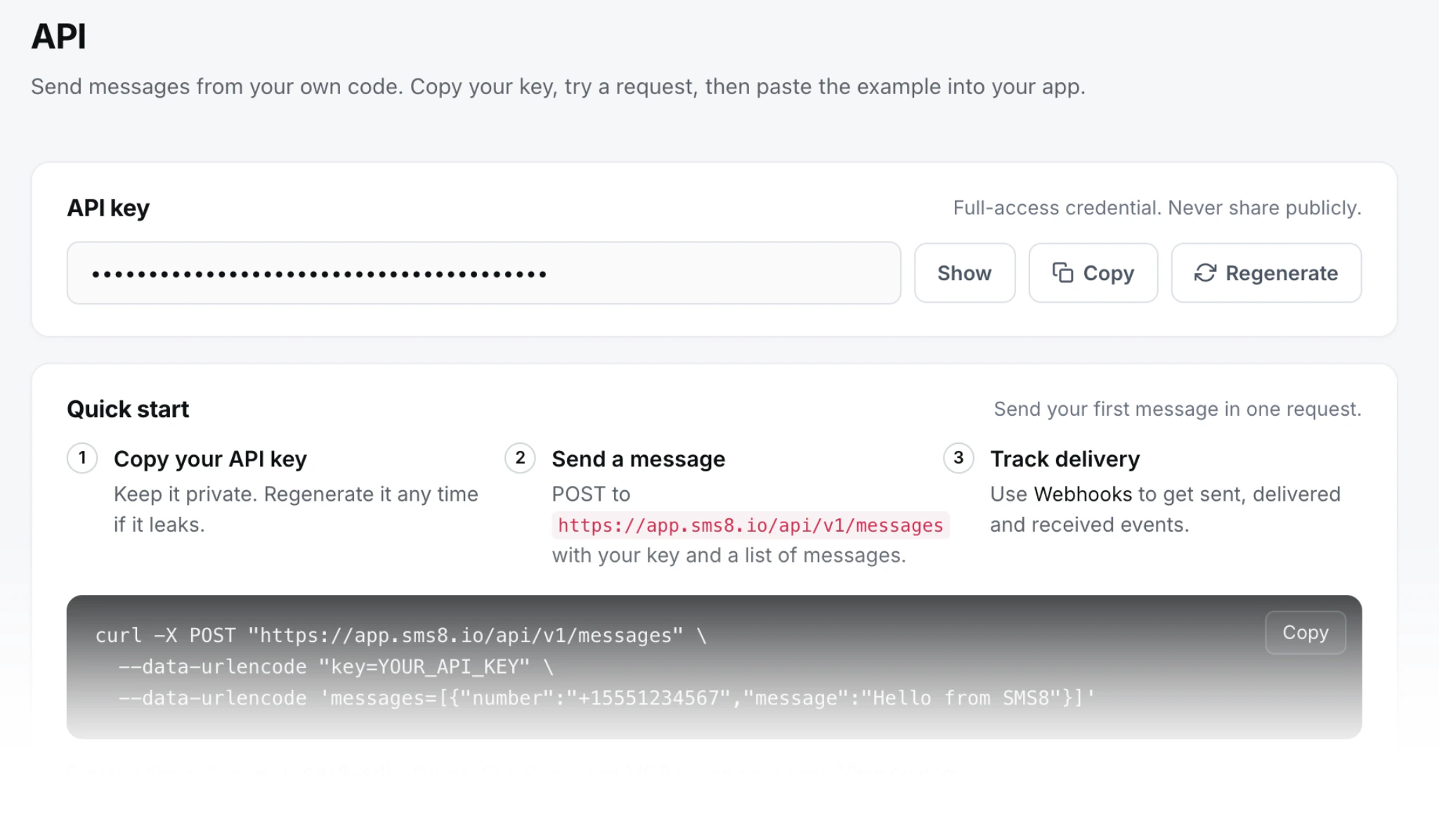
Two endpoints, using the same API key as the rest of SMS8. SMS8 makes the code, stores it hashed with an expiry, sends it from your paired phone, and later checks what your user typed.
# 1. Send
curl -X POST https://app.sms8.io/ajax/otp-send.php \
  -d "api_key=YOUR_KEY" \
  -d "phone=+15551234567"
# { "success": true, "otp_id": 123, "expires_at": "...", "expires_in": 300 }

# 2. Verify
curl -X POST https://app.sms8.io/ajax/otp-verify.php \
  -d "api_key=YOUR_KEY" \
  -d "phone=+15551234567" \
  -d "code=482917"
# { "success": true, "verified": true, "otp_id": 123 }
# or { "success": true, "verified": false, "reason": "code_mismatch", "attempts_left": 3 }
The phone number in international format is the only field you need to send a code. You can also pass the code length, the expiry, the number of tries, the resend wait, your own message wording with a {code} placeholder, and the phone or SIM to send from. The SMS8 API documentation lists every field.
The same two calls from Node
const KEY = process.env.SMS8_API_KEY;

async function sendCode(phone) {
  const res = await fetch('https://app.sms8.io/ajax/otp-send.php', {
    method: 'POST',
    body: new URLSearchParams({ api_key: KEY, phone }),
  });
  return res.json(); // { success, otp_id, expires_at, expires_in }
}

async function checkCode(phone, code) {
  const res = await fetch('https://app.sms8.io/ajax/otp-verify.php', {
    method: 'POST',
    body: new URLSearchParams({ api_key: KEY, phone, code: code.trim() }),
  });
  return res.json(); // { success, verified, reason?, attempts_left? }
}
Call these from your server, never from the browser, so your API key stays secret. Your front end talks to your server, and your server talks to SMS8.
From an AI agent
If you build in Claude Code, Cursor or Windsurf, the SMS8 MCP server gives your agent send_otp and verify_otp tools, plus a wait tool for codes. In Claude Code you add it with claude mcp add --transport http sms8 https://mcp.sms8.io. Describe the sign-up flow and the agent can call the tools while it builds your screen.
What security rules does an OTP flow need?
The price of an OTP is small next to the cost of a weak one. These are the rules that matter, and which of them SMS8 handles for you.
Expiry
A code should stop working after a few minutes. SMS8 codes last five minutes (300 seconds) by default, and you can set anything from 60 seconds to 15 minutes. Five to ten minutes is a good range: long enough for a slow text to arrive, short enough that an old code in someone's message history is useless.
Attempts
Limit how many times someone can guess. With six digits there are a million possible codes, so five tries give a guesser 1 chance in 200,000. SMS8 lets you set 1 to 10 tries per code. After the last try the code stops working, and the verify response tells you how many attempts are left so you can show it.
Rate limits
- Per number: SMS8 refuses more than 5 codes per phone number in 24 hours. You cannot switch this off by mistake.
- Resend wait: a send during the resend wait is refused. You can set the wait from 30 seconds to 10 minutes.
- No races: cooldown and cap checks run inside a locked database step, so parallel requests cannot slip extra codes through.
- Your side: add a per-IP limit and a captcha on your own send-code route if the form is open to the public. The per-number cap protects the person receiving texts. Your IP limit and captcha protect your SIM and your plan from scripted abuse.
Storage and comparison
SMS8 never keeps codes in plain text, and the check is timing-safe, so response times reveal nothing about which digit was wrong. The endpoints accept POST only and ignore cookies. If you build your own, store a hash of the code with a server-side secret and compare with hash_equals in PHP or crypto.timingSafeEqual in Node. Our phone number verification best practices article covers the checklist in more depth.
The message itself
- Put your brand name once and the code near the start or the end: "Acme: your code is 482917."
- Say when it expires, so users do not wonder whether an old code still works.
- Do not add links. They make it easier for phishing messages to imitate yours.
- For a sensitive action, name it: "Code to change your email: 482917." It stops an attacker from tricking someone into reading out a code meant for something else.
When does your own phone work best as an OTP sender?
A phone you own works well when your users are mostly in one country, your SIM plan covers texting there, and your volume is moderate: sign-up checks, login codes, password resets and confirmations for a SaaS app, a shop, a booking site or an internal tool. Codes come from a normal mobile number, and there is no A2P 10DLC registration because the texts leave your own SIM.
Users in several countries? Pair one phone with a local SIM per country, and keep a second phone paired so codes keep flowing if one goes offline.
Our comparison of Twilio Verify alternatives for SMS OTP shows how SMS8 compares, with prices from each provider's own site.
How much does it cost at real volumes?
Take 3,000 sign-ups a month in the US, each needing one SMS. On Twilio Verify at $0.05 per successful verification plus $0.0083 per SMS, as listed on their site in November 2026, that is $174.90 a month if every code is verified on the first text. Resends add $0.0083 each. On SMS8 the same month costs the USD 29 plan, or USD 14.50 a month billed yearly, plus whatever your mobile plan charges for texts. At 300 sign-ups a month, Twilio Verify would cost $17.49, which is less than the SMS8 monthly plan, so for a very small app a pay-per-use service can be cheaper.
Set up an OTP sender in four steps
- Start the trial. Create an SMS8 account. You get 3 days and 30 messages, no card needed.
- Pair a phone. Install the SMS8 Android app on a phone with Android 7 or newer and a SIM, scan the code on your dashboard, and turn off battery optimisation for the app so Android does not pause it.
- Copy your API key and call
otp-send.phpfrom your server with a test number. Check the text arrives. - Wire up verify. Send the user's digits to
otp-verify.php, let them in onverified: true, and show the reason and attempts left when it is false.
Always keep a fallback for users who do not receive the text: an email code, or an authenticator app for users who opted in. SMS will fail for some user some day, on any provider.
Why choose SMS8 to send OTP codes
SMS8 is the closest thing to a free OTP sender that is still built for production.
- OTP built in. Send and verify a code in two calls, from your own number, with no fee per code.
- Your own number. Texts leave from the SIM in your own Android phone, so customers see a number they know and can reply to.
- A flat price with unlimited messages. USD 29 a month for one phone or Mac, USD 89 for five and USD 229 for twenty, with unlimited SMS and MMS and no per-message fee. Yearly billing is half the price.
- No A2P 10DLC filing. Texts go person-to-person from your SIM, so there is no brand, campaign or monthly campaign fee to manage.
- Setup in minutes. Install the app, pair the phone and copy your API key. The 3-day trial includes 30 messages and needs no card.
Start the 3-day trial with 30 messages and no card, or compare plans on the SMS8 pricing page.