
Part of the guide Twilio Alternatives 2026: Cheaper SMS APIs Compared
On this page
- Key takeaways
- Why was my 10DLC campaign rejected?
- What does a rejected or stuck campaign really cost?
- Should I fix the registration or switch channels?
- How does SMS8 avoid 10DLC?
- How do you start texting today with SMS8?
- What can you send without 10DLC on SMS8?
- How much does it cost compared with registering?
- How is the SMS8 route different from cloud SMS?
- Why choose SMS8
- Stop waiting on the carrier
Key takeaways
- A rejected or stalled A2P 10DLC campaign blocks every text you planned to send through a rented business number, often for days or weeks while you fix and resubmit.
- The usual causes are paperwork details: an opt-in flow reviewers cannot verify, a missing privacy policy, sample messages that do not match the use case, or business details that do not match public records.
- SMS8 sends person to person from the SIM in your own Android phone, so there is no 10DLC brand or campaign to file. You can text customers the same day.
- Plans are flat: USD 29 a month for 1 phone or Mac, USD 89 for 5, USD 229 for 20, with unlimited SMS and MMS and no fee per message.
- Consent and opt-out rules still apply. SMS8 handles STOP replies across your campaigns.
If your 10DLC campaign was rejected, you have two options: fix the registration and resubmit, then wait again, or send from a channel that does not need 10DLC at all. A2P 10DLC is the US carrier registration for application-to-person texts sent from rented 10-digit numbers. Texts sent person to person from a real SIM, which is how SMS8 works, are outside that system. You pair an Android phone with your business SIM, and your team, CRM or code sends through it today. This guide explains why campaigns get rejected, what the delay costs you, and how to get texting with SMS8 step by step. For the bigger picture on moving away from cloud SMS, read our Twilio alternative guide for 2026.
Why was my 10DLC campaign rejected?
A2P 10DLC campaigns are reviewed against carrier rules before they are allowed to send. The reviewers only see what you submit, so small gaps in the paperwork are the most common reason for a rejection. The usual suspects:
- An opt-in flow nobody can verify. Reviewers want to see exactly how a person agrees to receive your texts: the form, the checkbox, the wording. "Customers give us their number" is not enough.
- No privacy policy or terms on the website. Or a policy that does not mention text messaging, or says phone numbers may be shared.
- Sample messages that do not match the use case. A campaign registered as appointment reminders with a sample that reads like a promotion will be questioned.
- Missing opt-out and identification. Samples without the business name or without "Reply STOP to opt out" are a frequent problem.
- Business details that do not match. The legal name, tax ID or address on the brand registration has to match public records exactly.
- A website that does not explain the business. A placeholder site, a site under construction or one that does not match the brand can stop a campaign.
- A use case carriers treat carefully. Some industries and content types face extra checks or are not accepted at all.
Our explainer on A2P 10DLC and how to avoid it goes through the registration workflow and what each step asks for.
What does a rejected or stuck campaign really cost?
The registration fees are the visible part. The bigger cost is the time your business cannot text:
- Customers stop hearing from you. Appointment reminders, order updates and follow-ups do not go out. No-shows go up and leads go cold.
- Someone owns the paperwork. A person on your team rewrites the opt-in description, updates the website, edits sample messages and resubmits. Then waits. Then answers more questions.
- Launches slip. A new location, a seasonal campaign or a client onboarding waits for a carrier decision you cannot speed up.
- Agencies wear it twice. If you register on behalf of clients, every client brand and campaign can hit the same wall, and you are the one explaining the delay.
- There is no guarantee on the next try. A resubmission can be rejected again for a different reason.
If texting is part of how you serve customers, waiting is expensive even when nothing is billed. And the wait repeats: a new brand, a new use case or a new client can mean another round of forms and another review before the first text goes out.
Should I fix the registration or switch channels?
If you must send very large one-way volumes from a rented number, fixing the registration is the path: add a clear opt-in, publish a privacy policy that covers texting, align your samples with your use case and resubmit.
But most businesses that hit a 10DLC rejection simply want to text their own customers: confirm appointments, answer questions, follow up with leads, send a monthly offer to people who signed up. For that, there is a faster route. Send from your own business SIM, person to person, with SMS8. No brand, no campaign, no vetting queue. You can be sending within the hour, and you can keep both: SMS8 for your day-to-day conversations and reminders, and a registration in progress in the background if you still want one.
How does SMS8 avoid 10DLC?
A2P 10DLC covers texts that applications send through rented 10-digit numbers on carrier business routes. SMS8 does not rent you a number or route your messages through those business routes. Your messages leave the SIM in your own Android phone, through your own mobile plan, exactly like a text typed by hand.
So there is nothing to register. The number your customers see is the SIM in your phone, the same number they may have saved already. Replies come back to that SIM and appear in your SMS8 inbox.
What does not change: you still need consent to text people, you must say who you are, and you must stop texting anyone who asks. Your mobile carrier's fair use rules apply to the SIM, which is why SMS8 paces campaigns at a natural rhythm. Our guide on sending bulk SMS from your own phone legally covers consent, opt-out wording and quiet hours.
How do you start texting today with SMS8?
- Get an Android phone. Android 7 or newer. A spare phone that stays plugged in at the office works best. A dual-SIM or eSIM phone gives you two business lines.
- Insert your business SIM. Use the number you want customers to see, with a plan that includes texting.
- Create an SMS8 account at app.sms8.io. The 3-day trial includes 30 messages and needs no card.
- Install the SMS8 app and pair it by scanning the short code in your dashboard. Turn off battery optimisation for SMS8 so the phone keeps picking up jobs in the background.
- Send a test to your own mobile and reply to it. The reply shows up in the shared inbox.
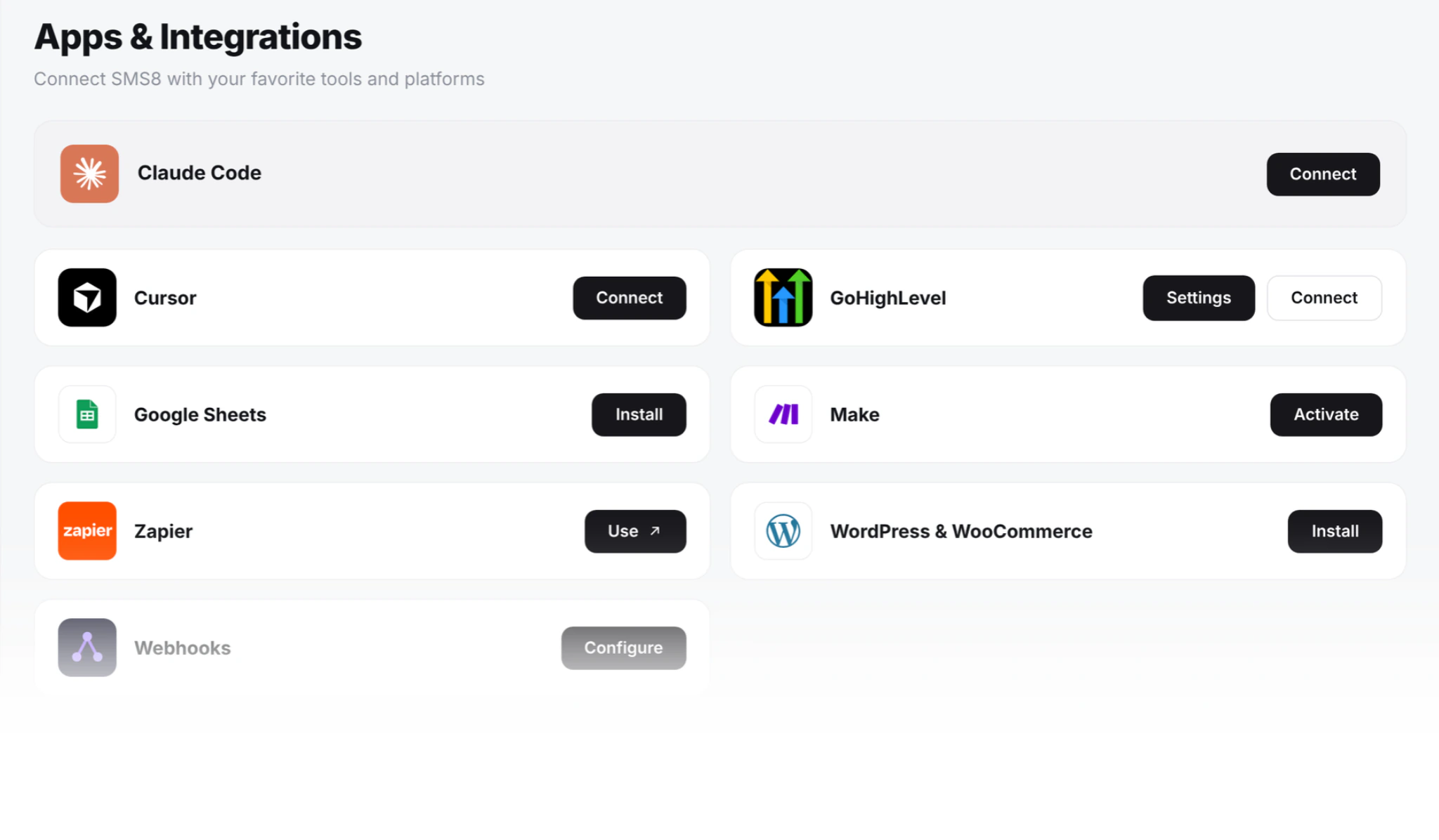
- Connect what was waiting on 10DLC. Import your contact list for a campaign, install the GoHighLevel marketplace app, add the SMS8.io app in Zapier, or point your code at the API.
What can you send without 10DLC on SMS8?
Reminders, confirmations and updates
Schedule a message for later and it waits until then. Send day-before appointment reminders, delivery updates and payment notices from your own number, and let customers reply to confirm or reschedule.
Campaigns to people who opted in
Upload an Excel or CSV list, use merge tags like {first_name}, and send. Campaigns go out at one message every 10 to 30 seconds per SIM. Anyone who replies STOP is opted out of every later campaign on your account automatically. For bigger lists, add SIMs or phones and SMS8 spreads the list across them.
Two-way conversations
Every reply lands in a shared inbox in your browser. Teammates sign in with their own login, and each reply leaves the SIM the conversation came in on.
Texts from your CRM and code
The REST API is one call: POST https://app.sms8.io/api/v1/messages with your key in the X-Api-Key header. Signed webhooks deliver replies and are retried for up to 30 days. If you are on GoHighLevel, SMS8 works as your SMS provider through its marketplace app, so workflows and Conversations send from your own number. See the GoHighLevel SMS integration.
One-time codes
Login and verification codes can go out from your own number through the OTP API, marked priority so they jump ahead of any campaign running on the same phone.
iMessage for Apple users
Add a Mac running the SMS8 Gateway app and Apple contacts get iMessage, with SMS fallback for everyone else. iMessage is paced to 50 new contacts a day per Mac; people you already talk to do not count.
How much does it cost compared with registering?
SMS8 has no registration fee and no per-message fee. You pay one flat plan:
| Plan | Monthly | Billed yearly (per month) | Phones or Macs |
|---|---|---|---|
| One Device | USD 29 | USD 14.50 | 1 |
| Five Devices | USD 89 | USD 44.50 | 5 |
| Twenty Devices | USD 229 | USD 114.50 | 20 |
Unlimited SMS and MMS are included on every plan, along with iMessage, the shared inbox, the API, webhooks and every integration. Your own mobile plan covers the SIM. Compare with what a rented number, registration fees and per-message charges add up to for your volume using the SMS cost calculator, and see every plan on the pricing page.
How is the SMS8 route different from cloud SMS?
| Rented number on a cloud SMS provider | SMS8 with your own SIM | |
|---|---|---|
| A2P 10DLC registration | Required for US business texting | Not needed, texts go person to person |
| Time to first text | After brand and campaign approval | Same day, once the phone is paired |
| Number customers see | A rented number | Your own SIM |
| Pricing | Usually per message, plus fees | Flat plan, unlimited SMS and MMS |
| Replies | Through the provider's webhooks | Shared inbox and signed webhooks |
The difference that matters most after a rejection is the second row: with your own SIM, the first text goes out as soon as the phone is paired. For a fuller side-by-side, read cloud SMS vs a phone gateway in 2026.
Why choose SMS8
- No A2P 10DLC filing. Texts leave your own SIM person to person, so there is no brand, no campaign and no vetting queue between you and your customers.
- Text today. Install the app, pair the phone and send. Most teams send the same day.
- Your own number. Customers see the SIM they already know, and replies come straight back to you.
- Flat price, unlimited messages. From USD 29 a month with unlimited SMS and MMS and no fee per message. Yearly billing is half price.
- SMS, MMS and iMessage in one inbox, with team seats included and control over who can send what.
- Plugs into your stack. GoHighLevel, Zapier, Make, WordPress, WooCommerce, Google Sheets, n8n, the REST API and an MCP server for AI agents.
Stop waiting on the carrier
A 10DLC rejection does not have to stop your business from texting. With SMS8, the number is yours, the price is flat and there is nothing to file. Start the 3-day trial with 30 messages, pair your phone and send the reminders and follow-ups that have been waiting. Then pick the plan that fits how many phones you want to connect.