
Part of the guide SMS Integrations: Zapier, Make, n8n, WordPress, Google Sheets
On this page
- Key takeaways
- Why text leads and customers from your CRM?
- How do you send SMS from GoHighLevel?
- How do you send SMS from HubSpot, Pipedrive or Salesforce?
- How do you send SMS from a custom or in-house CRM?
- Which CRM texts should you set up first?
- How do replies reach your team?
- How much volume can a CRM send through SMS8?
- What does sending SMS from your CRM cost on SMS8?
- Why choose SMS8
- Text your first lead from your CRM today
Key takeaways
- Sending SMS from your CRM means a text goes out the moment a lead comes in, a deal changes stage or a booking is made, without anyone copying numbers into a phone.
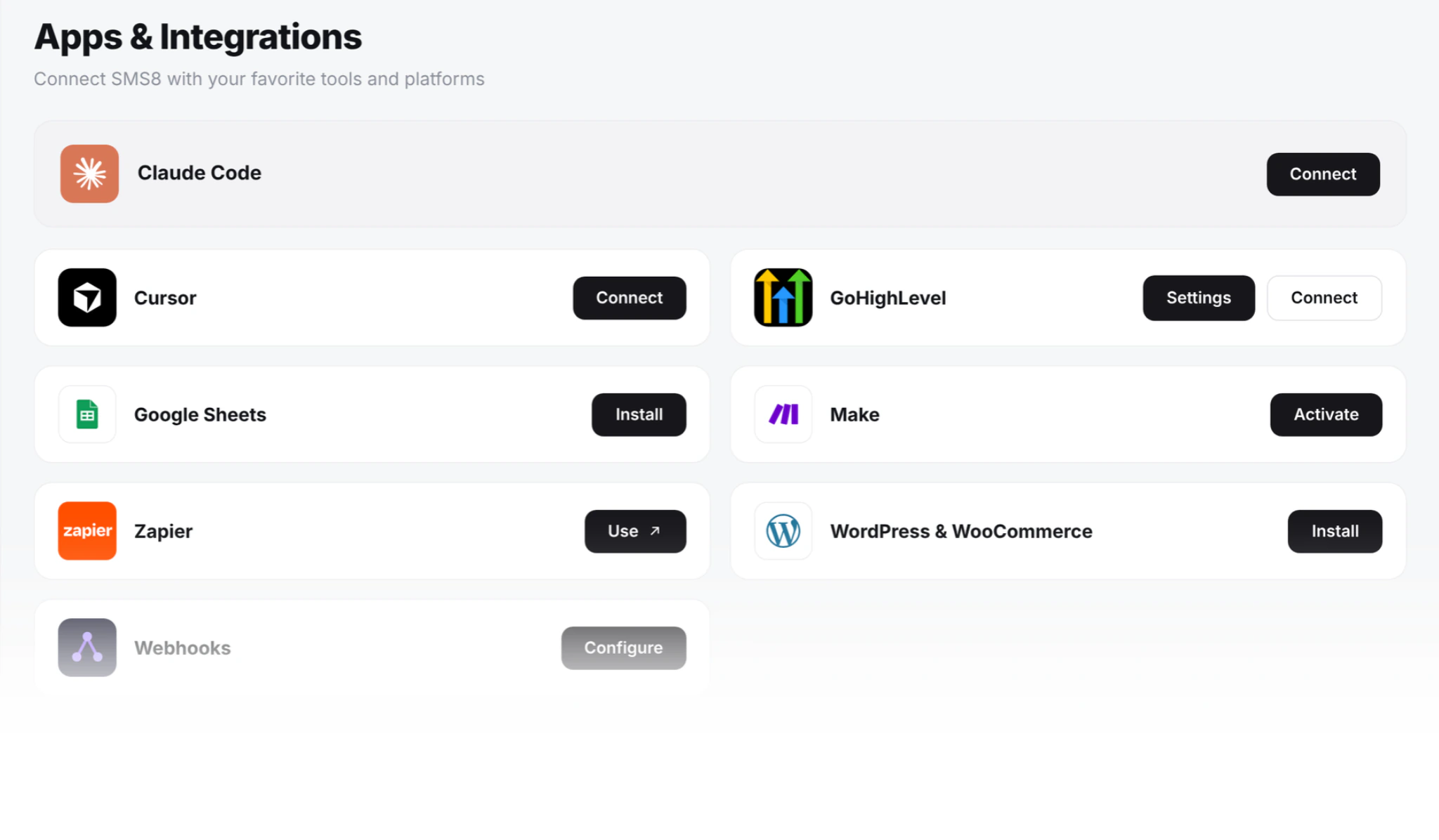
- SMS8 connects to your CRM four ways: the GoHighLevel marketplace app, the official Zapier app, the Make app, and the REST API with webhooks for custom or in-house CRMs.
- Every text leaves the SIM in an Android phone you own, so leads see a real mobile number and their replies come back to you, not to a rented line.
- There is no A2P 10DLC filing, because texts go person to person from your own SIM, and no fee per message from SMS8.
- Plans are flat at USD 29, 89 or 229 a month for 1, 5 or 20 connected phones or Macs, with unlimited SMS and MMS and a 3-day trial with 30 messages, no card needed.
The fastest way to send SMS from your CRM is to connect it to a sending service that texts from your own number. With SMS8, your CRM hands each text to an Android phone you paired, the phone sends it from its SIM, and the reply comes back to the contact's thread. GoHighLevel users install the SMS8 marketplace app and every workflow sends through their phone. Teams on other CRMs use the SMS8 app in Zapier or Make, or call the API. You pay one flat monthly price with unlimited messages. For every connector in one place, see SMS8 integrations.
Why text leads and customers from your CRM?
Your CRM already knows who to contact and when. The text is what turns that knowledge into a reply. When texting lives outside the CRM, the same problems keep coming back:
- Slow first replies. A rep sees a new lead an hour later and texts from their own phone. By then the lead has moved on.
- No record. Texts sent from personal phones never reach the contact record, so nobody else knows what was said. Our guide on staff texting from personal phones covers what that costs.
- Per-message bills and paperwork. The built-in SMS option in many CRMs runs on a metered provider: a fee per text, rented numbers and an A2P 10DLC filing before the first workflow can send.
- Numbers nobody recognises. Texts from a rented number look like a stranger. Texts from your business mobile look like you.
SMS8 solves these by sending every CRM text from your own SIM, on a flat plan, with replies routed back to where your team works.
The video shows GoHighLevel sending SMS from your actual phone number through SMS8.
How do you send SMS from GoHighLevel?
GoHighLevel is the most direct route, because SMS8 has an app in the GoHighLevel marketplace that becomes the SMS provider for your sub-account. It takes the slot the default provider used, so you never edit a workflow.
- Install from the marketplace. Open the SMS8 listing in the GoHighLevel marketplace and click Install. GHL handles the sign-in.
- Pick a sub-account, or install at agency level to cover every client at once.
- Pair an Android phone. Create your SMS8 account, install the Android app on a phone with Android 7 or newer and scan the code on your dashboard.
- Send as usual. Workflow SMS steps, drips, calendar reminders, missed-call text-back and the Send button in Conversations now go out from your SIM. Replies thread back into the GHL conversation.
Agencies pair one phone per sub-account, so each client sends from its own number, and a new client can text as soon as its phone is paired. Add a Mac running SMS8 Gateway and the same workflows can go out as iMessage, with SMS for contacts not on iMessage. The full guide is on the GoHighLevel SMS integration page, and our articles on GoHighLevel SMS without LC Phone and iMessage in GoHighLevel go deeper.
How do you send SMS from HubSpot, Pipedrive or Salesforce?
For CRMs without a native SMS8 app, Zapier and Make are the shortest path.
With Zapier
The official SMS8.io app in Zapier has a Send SMS action and a New Incoming SMS trigger. A common Zap: when a deal moves to a new stage in HubSpot, Pipedrive or Salesforce, the contact gets a short update from your number, and the rep gets an alert on their own phone.
- Pair a phone in SMS8 and copy your API key from the API page of your dashboard.
- In Zapier, pick your CRM trigger, such as a new contact or a deal stage change.
- Add the SMS8.io action Send SMS and connect it with your API key.
- Map the phone number and write the message with fields from the CRM, such as the first name. Numbers must be in international format, like +14155550100, so add a Formatter by Zapier step if your CRM stores them without the country code.
- Test the step, then turn the Zap on.
To log replies, build a second Zap on New Incoming SMS that adds a note to the matching contact. Every field is described on the Zapier SMS integration page.
With Make
The SMS8 app for Make has Send a Message, Send OTP Code and List Messages actions, plus an instant Watch Incoming Messages trigger. Put Send a Message behind your CRM module, and use Watch Incoming Messages with a Router to post replies back to the CRM, Slack or a sheet. Agencies can pin a phone per client in the module. See Make SMS automation with SMS8. If you run n8n, call the SMS8 API from an HTTP Request node; our n8n SMS recipes show how.
How do you send SMS from a custom or in-house CRM?
If you built your own CRM, or your CRM can call a URL, use the REST API. Every request goes to app.sms8.io with your key in the X-Api-Key header. Sending a text from your CRM backend:
import os
import requests
API = "https://app.sms8.io/api/v1"
HEADERS = {"X-Api-Key": os.environ["SMS8_API_KEY"]}
def text_lead(lead):
    r = requests.post(f"{API}/messages", headers=HEADERS, data={
        "number": lead["phone"],                      # international format
        "message": f"Hi {lead['first_name']}, thanks for your enquiry. When is a good time to call?",
        "idempotencyKey": f"lead-{lead['id']}-first-reply",
    }, timeout=30)
    body = r.json()
    if body.get("success"):
        return body["data"]["messages"][0]["ID"]   # store it on the contact
    raise RuntimeError(body["error"]["message"])
The idempotencyKey makes sure a retried job never texts the lead twice. Add schedule with a Unix timestamp for a follow-up later, and pass devices with a device ID to send from a specific rep's phone. The API also has POST /api/v1/contacts to create or update a contact in SMS8 with tags and custom fields.
Bring replies back into the CRM
On the Webhooks page of your dashboard, add your CRM's HTTPS endpoint and tick both the received and messages events for incoming texts. The payload of an incoming text carries "event": "messages" and a data list with ID, number, message, deviceID and simSlot. Verify the X-Signature header, an HMAC-SHA256 of the raw body made with that webhook's secret, then match number to the contact and save message as an activity. SMS8 retries failed deliveries for up to 30 days, so dedupe on ID. The full walkthrough is on the forward SMS to a webhook page.
Which CRM texts should you set up first?
| CRM event | Text to the contact | Text to your team |
|---|---|---|
| New lead from a form | A first reply within seconds, from the business number | An alert to the assigned rep with the lead's name and number |
| Appointment booked | A confirmation now and a reminder the day before | None, or a note to the person running the appointment |
| Deal stage changed | A short update on what happens next | A task reminder to the owner |
| Payment failed | A short sequence with the card update link | An alert if it is still unpaid after a few days |
| Missed call | A text back asking how you can help | The reply lands in the shared inbox |
Start with lead follow-up. It is where speed matters most and where a reply from a real number makes the clearest difference. If an AI agent works your pipeline, the SMS8 MCP server at https://mcp.sms8.io lets it send and read texts too.
How do replies reach your team?
Every reply goes two places at once. It goes back into your CRM through the GoHighLevel thread, a Zapier or Make trigger, or your webhook. And it lands in the SMS8 shared inbox, threaded by contact, where teammates answer from a browser with their own login, through your SIM. Every outgoing message is stamped with the person who sent it, and you choose which phones and SIMs each person can use. One Device includes 1 team seat, Five Devices 10 and Twenty Devices 40.
How much volume can a CRM send through SMS8?
Single texts triggered by the CRM, such as a lead reply or a reminder, go out on their own and do not wait for a campaign. Bulk sends from a CRM list go out at about one message every 10 to 30 seconds per SIM, which keeps your number in good standing with the carrier. A Zap or scenario that loops over hundreds of contacts is queued and sent at that pace. To send more, add a dual-SIM phone or more phones and let SMS8 rotate across them. If a phone drops offline, messages wait in the queue and send when it reconnects.
What does sending SMS from your CRM cost on SMS8?
| Plan | Monthly | Billed yearly (per month) | Connected phones or Macs | Team seats |
|---|---|---|---|---|
| One Device | USD 29 | USD 14.50 | 1 | 1 |
| Five Devices | USD 89 | USD 44.50 | 5 | 10 |
| Twenty Devices | USD 229 | USD 114.50 | 20 | 40 |
Every plan includes unlimited SMS and MMS, the GoHighLevel app, Zapier, Make, the API, webhooks and the shared inbox. SMS8 adds no fee per message, no number rental and no A2P registration fee. Your mobile plan covers the texts, and many plans include unlimited texting under a fair use policy. Zapier and Make bill their own plans separately. For an agency, one SMS8 plan covers many sub-accounts, and when each client puts its own SIM in its own phone, the texting runs on that client's mobile plan.
Why choose SMS8
- Your own number in every CRM text. Leads and customers see the business mobile they can save, call back and reply to.
- A flat price with unlimited messages. USD 29 a month for one phone or Mac, with no fee per message, however many workflows you run.
- No A2P 10DLC wait. Texts go person to person from your own SIM, so a new CRM workflow or a new client sends the same day.
- Works with the CRM you have. A GoHighLevel marketplace app, official Zapier and Make apps, n8n through HTTP, and a REST API with signed webhooks.
- Replies where your team works. Back in the CRM thread and in the shared inbox, with team seats on every plan.
- SMS, MMS and iMessage together. Android phones for SMS and MMS, a Mac for iMessage, one account.
Text your first lead from your CRM today
Your CRM already decides who should hear from you. SMS8 makes sure the text arrives from your own number, the reply comes back to the contact, and the bill stays flat. Start the 3-day trial with 30 messages, pair a phone, connect GoHighLevel, Zapier, Make or the API, and send your first CRM text in minutes. Then pick your plan on the SMS8 pricing page.